EasyManua.ls Logo

BARIX Exstreamer 500 - User Manual

BARIX Exstreamer 500
4 pages
Print Icon
To Next Page IconTo Next Page
Loading...
EXSTREAMER
500
Quick Install Guide
Version 2.0
Mulitformat IP Audio En-/Decoder
Package contents
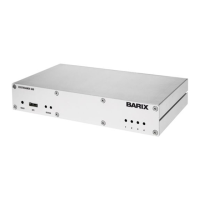
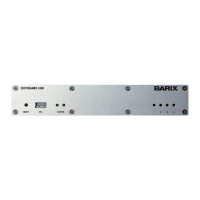
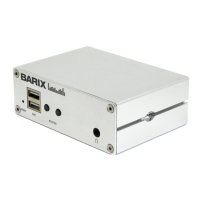
a Exstreamer 500
b Power supply
c Y-Cable Analog (DSub9 M to 2 x XLR M & 2 x XLR F)
d Connector set (screw terminal blocks: 2 x 6 pin, 4 pin)
Firmware
This device comes preloaded with standard firmware.
Alternative firmware can be downloaded from www.barix.com.
Support
For support please contact your local dealer or visit www.barix.com.
© Barix AG 3/2013, all rights reserved. All information is subject to change without notice. All mentioned trademarks belong
to their respective owners and are used for reference only. Barix, Exstreamer and SonicIP are trademarks of Barix AG, Switzerland,
and are registered in certain countries.
Question and Answer IconNeed help?

Do you have a question about the BARIX Exstreamer 500 and is the answer not in the manual?

Summary

Package Contents

Included Components

Lists the Exstreamer 500 unit, power supply, Y-cable, and connector set.

Firmware Information

Firmware Management

Explains the device's preloaded firmware and how to obtain alternatives.

Support Options

Customer Support Channels

Guides users on contacting support through local dealers or the Barix website.

Hardware Overview

Front View Description

Details the buttons (Reset, EXT.) and LEDs (Status, I/O) on the front panel.

Rear View Ports

Describes connectors for Analog Audio, RS-232, LAN, RS-485, and Power.

Initial Installation

Physical Setup Steps

Guides connecting network cables, audio equipment, and power supply.

Network Configuration

Web Browser Configuration

Explains how to access and configure the device via its IP address using a web browser.

Temporary IP Address Setup

ARP Command Method

Details setting a temporary IP address using ARP and Telnet commands for local network access.

Troubleshooting

Common Issues and Solutions

Covers LED status, network connectivity, and factory reset procedures.

BARIX Exstreamer 500 Specifications

General IconGeneral
BrandBARIX
ModelExstreamer 500
CategoryMedia Converter
LanguageEnglish

Related product manuals