Need help?
Do you have a question about the BARIX Instreamer and is the answer not in the manual?
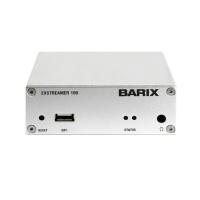
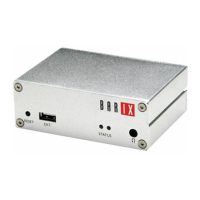
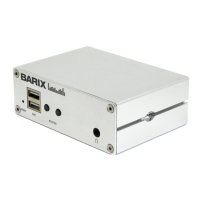
The "Instreamer" firmware is designed as a versatile, network-enabled analog and digital audio-to-Ethernet converter for commercial audio distribution.
Lists various features like MP3 stream generation, G.711/aLaw/uLaw streams, PCM streams, supported stream connections, Ethernet connection, SonicIP, SNMP, and IR remote control.
Provides instructions for installing the Barix Instreamer 100 or legacy Barix Instreamer, referring to the "Quick Install Guide".
Mentions technical specifications, product sheets, and the "Instreamer Technical Documentation" available for download.
Barix preloads the Instreamer 100 with the "Instreamer” firmware and advises checking for updates.
Explains how links to chapters and dictionary terms work within Adobe Acrobat Viewer.
Explains how to view status and control the device via the web interface, including IP address, web browser, and the status window content.
Details how to adjust network settings like IP Address, Netmask, Gateway IP Address, DHCP Host Name, and SonicIP.
Explains how to adjust audio input and output settings, including input source selection based on hardware.
Covers settings for streaming mode, parameters, and destinations, including Own Name, Streaming mode, Control GPI, Trigger level, etc.
Configures which commands should be issued when the CTS signal on the serial connector is activated or deactivated.
Adjusts control port properties, including UDP command port, TCP command port, and Web server port.
Adjusts serial port, local port, and serial gateway properties, including baud rate, data bits, parity, stop bits, and flow control.
Secures access to the device on different levels using passwords for saving, viewing, control, listening, and SNMP communities.
Introduces LiveFeed Service for Cisco Call Manager, livefeed.xml, and listen.xml files.
Explains how to revert all settings except network configuration to factory defaults using the 'Defaults' button.
Details how to revert all settings, including network, to factory defaults using the 'Reset' button.
Details the steps to reboot the device using the 'Reboot' button in the web interface.
Guides users on how to download the latest firmware version from the Barix website.
Explains the "Serial Rescue" procedure for firmware update and factory reset.
Outlines the "Web Update" procedure for updating firmware via a web browser.
Defines key technical terms used in the manual, such as DHCP, IP, IPzator, MAC Address, Netmask, Ping, SonicIP, and Telnet.
Contains copyright information, reserved rights, and trademarks of Barix products.
 General
| Power Supply | 5V DC, 1A |
|---|---|
| Audio Formats | MP3 |
| Network Interface | 10/100 Mbps Ethernet |
| Control Interface | Web interface |
| Protocols | HTTP, RTP, SIP |
| Streaming | RTP |
| Connectors | Ethernet, USB |


 To Next Page