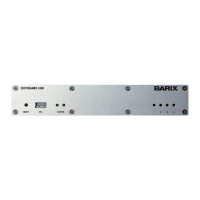
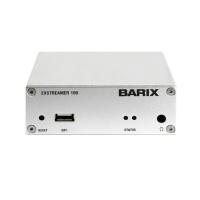
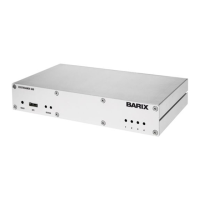
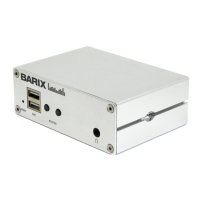
Need help?
Do you have a question about the BARIX EXSTREAMER 100 and is the answer not in the manual?
Guide to installing the zServer software for streaming MP3s.
Instructions on how to connect the Exstreamer to a stereo system.
Details the web browser interface controls for playback and settings.
Describes how to select and manage playlists for playback.
Explains how to adjust audio settings like volume, bass, and treble.
Instructions for using network shares (CIFS/Samba) for streaming.
Explains the different frames and sections of the configuration interface.
Details how to configure IP address, Netmask, and DNS settings.
Configures how the Exstreamer receives audio streams using zServer.
Configures streaming using Windows or Linux network shares.
Allows adjustment of startup audio preferences like volume and EQ.
Adjusts properties for playlist behavior like shuffle and repeat.
Configures wireless network settings for connectivity.
Adjusts control ports, IR source, and IR gateway properties.
Configures serial port, baud rate, data bits, and parity.
Manages passwords for different access levels to the device.
Instructions on how to reset the device to its original factory settings.
Procedure for restarting the Barix Exstreamer device.
Steps for updating the Exstreamer's firmware to the latest version.
Guide to manually assign a permanent IP address to the Exstreamer.
Configures the device to stream music from a PC using zServer (auto detect).
Configures streaming from a specific PC with a fixed zServer IP address.
Configures the Exstreamer to stream music from a standard web server.
Configures the device to pull streams from MP3 jukeboxes or web radio.
Configures the device to receive streams from other applications.
Step-by-step guide to configure network via serial cable and terminal.
Steps to configure network settings using Telnet.
Details on control APIs for integration with automation systems.
Configures automatic IP address discovery functions like DHCP.
 General
| Audio Support | Stereo |
|---|---|
| Audio Formats Supported | MP3, AAC, WMA |
| Network Interface | Ethernet 10/100 Mbps |
| Power Supply | 5VDC |
| Protocols | HTTP, RTP |
| Connectors | RJ45 |
| Audio Output | Stereo |

 To Next Page