EasyManua.ls Logo

BARIX M400 - User Manual

BARIX M400
5 pages
Print Icon
To Next Page IconTo Next Page
Loading...
BARIX AG | Ringstrasse 15 A | CH-8600 Dübendorf | T + 41 43 43322 11 | www.barix.com
Page 1/5
Quick Install Guide V1.1.2
Package Content and Accessories
Package contents
Instreamer ICE
Power supply
RCA stereo cable
Required Cable Set
Ethernet cable (not included)
Earphones/headsets (not included)
Device functionality
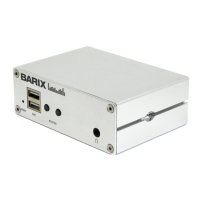
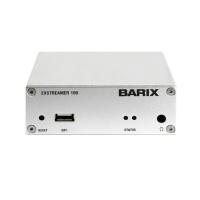
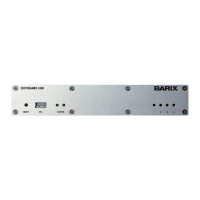
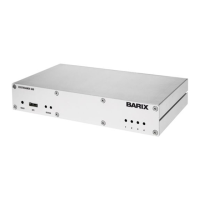
Front view
Rear view
A - Reset Button
Press and hold the reset button until LED1 starts blinking (i.e.
for approx. 10 seconds). Release it and the device will be
rebooted and the factory default settings will be restored.
B - EXT. ports
USB 2.0 ports (for future purposes)
C - Status LEDs
LED1 shows system status:
Red – blinking fast: early startup
Red – solid: first stage boot loader
Red – blinking slow: system booting
Green – solid: system up and running
Green – blinking: restoring factory defaults
LED2 shows application status
E - Line-in
RCA inputs for audio sources (mono inputs per unit -white: Left
Line input; red: Right Line input)
F - RS-232
Serial interface port with standard D-sub 9- pin male
connector.Used to insert metadata to the internal Icecast
server.
Pin Description Pin Description
1 Not connected 6 Not connected
2 Receive Data [RxD] 7 Ready to Send [RTS]
3 Transmit Data [TxD] 8 Clear to Send [CTS]
4 V+ 5V, 100mA max 9 Not connected
5 Ground [GND]
G - LAN port
RJ45 connector for 10/100 Ethernet
H - Power Barrel
Question and Answer IconNeed help?

Do you have a question about the BARIX M400 and is the answer not in the manual?

Summary

Package Content and Accessories

Device Functionality

Front and Rear Views

Overview of front and rear panel layouts with labeled components.

Controls and Status Indicators

Details on Reset Button, EXT. ports, and Status LEDs (LED1, LED2).

Connectivity Ports

Description of Line-in, RS-232, LAN, and Power ports.

Audio Output

Explanation of the Headphone out port.

Hardware Installation

Connection Steps

Step-by-step guide for connecting headphones, network, power, and audio sources.

IP Address Acquisition

Procedure for acquiring an IP address and using the Barix Discovery Tool.

Device Configuration

Initial Login and Password

Steps for accessing the device via browser and finding initial login credentials.

Network Settings

Guidance on changing network configuration, including DHCP settings.

Stream Configuration

Stream Input Settings

Configuration of stream name, input channel, and sampling rate.

Stream Encoder Settings

Selection of encoder type, bitrate, and bitrate type.

Stream Destinations

Defining Icecast server details like name, description, genre, mount point, URL, port, username, and password.

Compliance and Further Information

FCC Compliance

Information regarding FCC rules and potential radio frequency interference.

Contact and Legal Information

Details on safety recommendations, distributor information, and contact methods.

BARIX M400 Specifications

General IconGeneral
BrandBARIX
ModelM400
CategoryMedia Converter
LanguageEnglish

Related product manuals