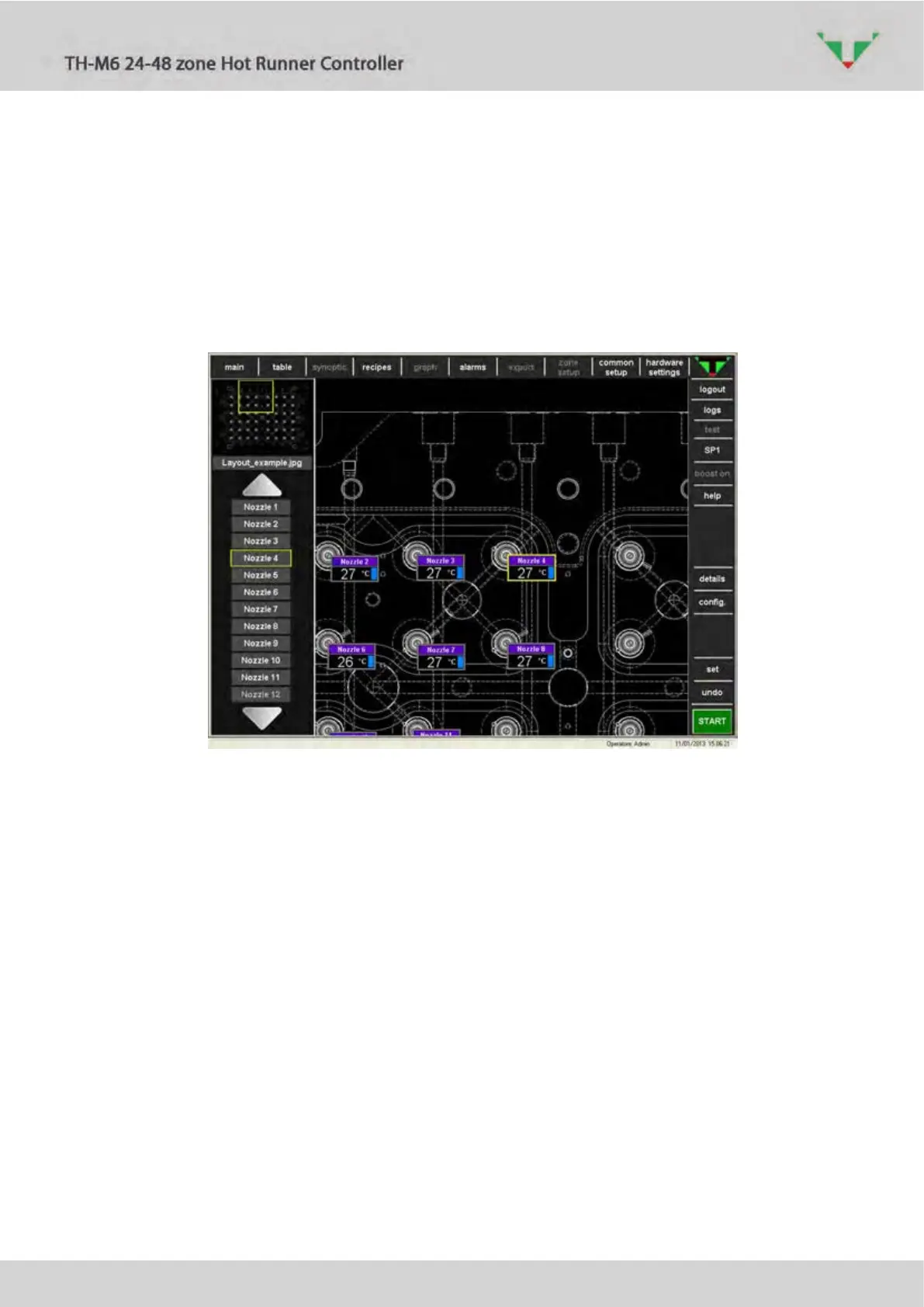
The “Synoptic” page uses a picture of the moulding tool as page background. Each zone
virtual instrument is immediately seen in relation to its physical position. It’s possible to load a
picture directly from a USB memory stick. All picture formats (e.g. .bmp, .jpg, .gif) are allowed.
Picture dimension must have a ratio between base and height of 4/3.
In the main area are displayed virtual instrument in a compact style. In the top left corner
there is a preview of the whole picture. A yellow square identify the part that is showed in the
main area. Click anywhere in the preview area to make the new centre of the yellow square.
Alternatively, it’s possible to move the picture just dragging it in the main area.
“Set” button allows to modify operative settings of just one selected zone.
Figure 40
Referring to Figure , if one zone is selected in the left list, this will highlighted even in the
main area. The background picture will be moved and the selected zone will be displayed at the
centre of the main area.



 To Next Page