EasyManua.ls Logo

Bauhn ATV55UHDS-0519 - User Manual

Bauhn ATV55UHDS-0519
56 pages
Print Icon
To Next Page IconTo Next Page
Loading...
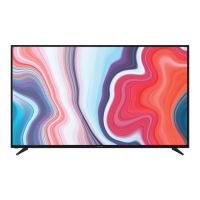
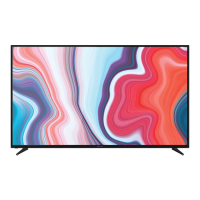
55"Ultra HD
Smart TV
with HDR
Instruction
Manual
MODEL: ATV55UHDS-0519

Other manuals for Bauhn ATV55UHDS-0519

Questions and Answers

  • M
    Michelle RileyAug 14, 2025
    What to do if there are picture issues on Bauhn ATV55UHDS-0519?
    • L
      ltaylorAug 14, 2025
      If you're experiencing picture issues with your Bauhn Smart TV, ensure all equipment is properly connected. If using an external device, try turning it off and on again. If the screen displays 'no signal,' select the correct source input. Adjust the antenna position and move the TV away from electronic devices that may cause interference. You can also auto-tune free-to-air TV channels or try another channel. For flickering with HDMI, ensure you're using a high-speed HDMI cable correctly connected to the port and that it is not faulty. You might also want to check the HDMI EDID setting in the Adjust Menu under System.
  • J
    Jacqueline LeeAug 17, 2025
    How to fix sound issues on Bauhn Smart TV?
    • R
      Richard DanielsAug 17, 2025
      If you have sound issues with your Bauhn Smart TV, first ensure all equipment is properly connected and the TV's input setting is correct. Check the audio settings on any external devices. Make sure the volume isn't muted—if it is, press the MUTE button. Unplug earphones if connected. Adjust the volume using the VOL+ / VOL- buttons. Also, check the HDMI EDID setting in Menu > System. If using an external audio device, verify that the Menu > Sound > S/PDIF setting is set to 'PCM'. If using HDMI, ensure your audio device supports HDMI-ARC. If the sound isn't synchronized with the picture, adjust the sync in Menu > Sound > Audio Delay.
  • R
    Rachel ThompsonAug 21, 2025
    How to turn on Bauhn ATV55UHDS-0519 Smart TV if it has no power?
    • A
      andersonjeromeAug 21, 2025
      If your Bauhn Smart TV has no power, check that the power outlet is turned on. If you're using a multi-outlet, ensure it's working correctly by plugging the TV directly into a wall outlet. You can also try powering on the TV using the button on the TV set itself.
  • T
    Timothy HarrisAug 25, 2025
    Why is the remote control not working with my Bauhn ATV55UHDS-0519 Smart TV?
    • J
      Jennifer LewisAug 25, 2025
      If the remote control isn't working with your Bauhn Smart TV, check that the batteries are correctly installed and not exhausted; replace them if necessary. Ensure you're pointing the remote at the remote control sensor within a 5m range, and that there are no obstacles blocking the signal.
  • R
    Robert NelsonAug 27, 2025
    What to do if Bauhn Smart TV does not recognise USB device?
    • J
      Jacob BellAug 28, 2025
      If your Bauhn Smart TV doesn't recognize your USB device or external hard disk, first review the instructions on using USB devices with the TV. If the issue persists, the device may be incompatible. While this TV has been tested with many Flash memory-based devices and hard disks, some may not be compatible, especially external self-powered hard disks. Ensure the USB storage device is formatted in a FAT32 file system provided with the Windows operating system.
  • J
    Jamie BrownAug 30, 2025
    What to do if buttons on Bauhn ATV55UHDS-0519 are not working?
    • B
      Brent McphersonAug 30, 2025
      If the button operation is not effective on your Bauhn Smart TV or its remote control, disconnect the power plug and then reconnect it.
  • J
    Jennifer DorseySep 3, 2025
    What does 'Disk not ready' mean on Bauhn Smart TV?
    • D
      Darin HarrisonSep 3, 2025
      If you receive a 'DISK NOT READY' error on your Bauhn Smart TV, especially in time-shift recording mode, remove the USB recording device. Reconnect the device, and then proceed with your recording. This is required to reset the device after each recording to protect it from damage.
  • C
    Carolyn EvansSep 6, 2025
    Why is my media loading slowly on Bauhn ATV55UHDS-0519?
    • T
      Tracey MillerSep 6, 2025
      If your media is loading slowly on your Bauhn Smart TV, the loading speed may be slower for large file sizes and large capacity storage devices. Also, the recognition speed of a USB storage device may vary depending on the device itself.
  • J
    Jodi GilmoreSep 10, 2025
    What does 'unsupported file' mean on Bauhn Smart TV?
    • A
      April WhitakerSep 10, 2025
      If you see an 'Unsupported File' message on your Bauhn Smart TV, it means the file extension, video codec, image resolution, or frame rate is not supported.

Summary

Unpack and Prepare

Important Tips

Provides crucial advice for safe and proper TV placement and handling.

Attaching the stand

Instructions on how to securely attach the TV stand or legs.

Wall-mounting the TV

Guidance on how to safely mount the TV onto a wall.

Connect to power

Steps for connecting the TV to an electrical power source.

Connect your antenna

Instructions for connecting an antenna for receiving TV signals.

Remote Control

Setup

Instructions for inserting batteries into the remote control.

Precautions When Using Batteries

Safety guidelines and recommendations for battery usage and disposal.

On-Screen Set Up

First Time Setup menu

Guides users through initial TV setup and preference selection.

Connect to the Internet

Instructions for establishing an internet connection for the TV.

Networking

Connecting to a Wireless Network

Steps to connect the TV to a wireless home network.

Connecting to a Wired Network

Instructions for connecting the TV to a wired home network via Ethernet.

TV Setting Menus

Menu Navigation Buttons

Explains how to use remote buttons for navigating TV settings.

Network Settings

Settings for connecting the TV to wired or wireless networks.

PVR Recording

Functions for personal video recording using a USB drive.

Sound

User Mode Settings

Customizes sound effects like Surround Sound and Dialogue Enhancer.

Network

Wired Network Settings

Configures the TV's connection to a wired network.

Wireless Network Settings

Details on connecting to and configuring wireless networks.

IP Settings

Manual configuration of IP address, Subnet Mask, Gateway, and DNS.

PVR Recording

Disk Management

Manages USB drives for PVR, including selection and formatting.

Recording and Playback

Checks USB speed, views recorded programs, and sets time shift memory.

Support

Software Updates

Updates TV software via USB or the internet.

High Dynamic Range (HDR)

About the HDR Feature

Explains HDR as a picture feature mimicking human visual perception.

HDR on your TV

Details HDR support via HDMI, USB, and Netflix, and setup requirements.

Smart TV

Smart TV Applications

Lists available smart TV applications like Netflix, YouTube, and Twitter.

Recording

Important Tips

Crucial advice regarding USB data backup and recording precautions.

Recording Live TV

Instructions on how to start and stop recording live TV broadcasts.

Pause Live TV (Time-shift)

Start Time-shift

Temporarily pauses live TV signal for later playback.

USB Mode

Set up USB Mode

Instructions for inserting USB devices and selecting Media mode.

Video Playback

Troubleshooting

No Power Issues

Solutions for problems related to the TV not turning on.

USB Media Storage Issues

Solutions for problems recognizing or using USB devices.

Warranty Information

Warranty Terms

Details the 12-month warranty period and consumer rights.

Online Support and Resources

Product Support Contact

Contact information for troubleshooting product issues before returning.

Bauhn ATV55UHDS-0519 Specifications

General IconGeneral
Screen Size55 inches
Resolution3840 x 2160
Smart TVYes
HDMI Ports3
USB Ports2
Wi-FiYes
BluetoothYes
Operating SystemAndroid TV
Display TechnologyLED
Audio Output20W

Related product manuals