EasyManua.ls Logo

Bauhn ATV75UHDS-1219 - User Manual

Bauhn ATV75UHDS-1219
52 pages
Print Icon
To Next Page IconTo Next Page
Loading...
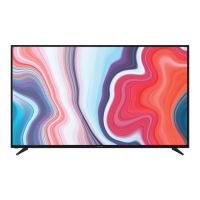
75"
User Manual
MODEL: ATV75UHDS-1219

Other manuals for Bauhn ATV75UHDS-1219

Questions and Answers

  • J
    James CalhounAug 14, 2025
    How to fix picture issues on Bauhn ATV75UHDS-1219 Smart TV?
    • D
      Derrick OrtizAug 14, 2025
      To resolve picture issues on your Bauhn Smart TV, check that all equipment is properly connected. If using an external device, try turning it off and on again. Ensure the correct source input is selected. Adjust the antenna position and move the TV away from devices that may cause interference. You might also want to auto-tune free-to-air TV channels again or try another channel. If the image flickers when connecting an HDMI cable, ensure it is a high-speed HDMI cable, correctly connected, and not faulty. You can also try adjusting the HDMI EDID setting in the System menu.
  • R
    Robyn SimpsonAug 17, 2025
    How to fix sound issues on Bauhn Smart TV?
    • B
      Breanna CharlesAug 17, 2025
      To resolve sound issues on your Bauhn Smart TV, ensure all equipment is properly connected and the correct input setting is selected on the TV. Verify the audio settings on any external devices are correct and that the volume isn't muted. If muted, press the MUTE button. Unplug earphones if connected. Adjust the volume using the VOL+ / VOL- buttons. Adjust the HDMI EDID setting in the System menu. If using an external audio device, check that the Digital Output Type setting is 'PCM'. If using HDMI-ARC, ensure the audio device supports it. If the sound is out of sync with the picture, adjust the Audio Delay in the Sound menu.
  • S
    Sherri Clayton MDAug 20, 2025
    Why is my Bauhn ATV75UHDS-1219 not turning on?
    • W
      woodstylerAug 20, 2025
      If your Bauhn Smart TV isn't powering on, ensure the power outlet is switched on. If you're using a multi-outlet, verify it's functioning correctly by plugging the TV directly into a wall outlet. Also, try turning on the TV using the button on the device itself.
  • T
    Troy DonovanAug 25, 2025
    What to do if my Bauhn ATV75UHDS-1219 remote control is not working?
    • C
      Christina JacksonAug 25, 2025
      If the remote control for your Bauhn Smart TV isn't working, first check that the batteries are correctly installed and not exhausted; replace them if necessary. Ensure you're pointing the remote at the sensor, no more than 5 meters away, and that there are no obstacles blocking the signal.
  • B
    bob75Aug 27, 2025
    What to do if button operation is not effective on Bauhn ATV75UHDS-1219?
    • D
      dustincurryAug 27, 2025
      If the button operation on your Bauhn Smart TV or remote control is not effective, it may be due to lightning, static electricity, or other factors. Disconnect the power plug and then reconnect it to resolve this issue.
  • S
    Stephanie Wallace MDAug 30, 2025
    Why doesn't my Bauhn Smart TV recognise my USB device?
    • E
      egrayAug 30, 2025
      If your Bauhn Smart TV doesn't recognise your USB device, ensure you've followed the instructions for using USB devices with the TV. The USB device may not be compatible. While the TV has been tested with many Flash memory-based devices and hard disks, some may not be compatible, especially external self-powered hard disks. Only use a USB storage device formatted in a FAT32 file system provided with Windows.
  • R
    Ronald WadeSep 2, 2025
    What does 'Disk not ready' error mean on Bauhn ATV75UHDS-1219?
    • A
      Alicia MillsSep 3, 2025
      If you see a 'DISK NOT READY' error on your Bauhn Smart TV, especially in time-shift recording mode, remove the USB recording device. Reconnect it, and then proceed with your recording. This resets the device after each recording to prevent damage.
  • P
    Pamela RoySep 6, 2025
    Why is my media loading slowly on Bauhn ATV75UHDS-1219 Smart TV?
    • H
      Heather MccartySep 6, 2025
      If your media is loading slowly on your Bauhn Smart TV, it could be due to large file sizes or the capacity of your storage device. The recognition speed of a USB storage device can also vary depending on the device itself.
  • T
    thomasmichaelSep 10, 2025
    What does 'unsupported file' message mean on Bauhn ATV75UHDS-1219 Smart TV?
    • M
      Mallory ChambersSep 10, 2025
      If your Bauhn Smart TV displays an 'Unsupported File' message, it indicates that the file extension, video codec, image resolution, or frame rate is not supported by the TV.

Summary

Welcome

Welcome Message

Official welcome and congratulations on your purchase.

Unpack and Prepare

Whats in the Box

Lists all items included in the TV packaging for initial setup.

Important Setup Tips

Key advice and precautions for safely unpacking and setting up the TV.

Attaching the TV Stand

Step-by-step guide on how to attach the TV's legs or stand securely.

Wall-mounting the TV

Instructions and requirements for mounting the TV on a wall using VESA brackets.

Connecting Power and Antenna

Guidance on connecting the TV to a power source and antenna for signal reception.

Controls and Connections

TV Controls and Buttons Overview

Identifies the TV's front and rear controls and their functions.

TV Port Identification and Usage

Details the various input and output ports available on the TV for connectivity.

Remote Control

Remote Control Setup and Battery Precautions

Instructions for inserting batteries and safety guidelines for remote use.

Using the Remote Control

Guidance on how to properly aim and use the remote control with the TV.

Standard Remote Functions

Explanation of buttons and functions on the standard remote control.

Easy Remote Functions

Description of buttons and functions on the simplified 'Easy Remote' control.

On-Screen Set Up

Initial TV Setup Wizard

Steps for first-time setup, including language, network, and channel tuning.

Connecting to the Internet

Instructions for connecting the TV to a wired or wireless network for internet access.

TV Setting Menus

Menu Navigation Buttons

Explains how to use remote buttons to navigate TV settings menus.

TV Options and Signal

Covers TV settings like Auto Scan, Manual Scan, and Signal Information.

Picture Settings and Modes

Details on picture modes, contrast, brightness, saturation, sharpness, and tint.

Sound Settings and Enhancements

Adjustments for sound mode, equalizer, balance, surround sound, and audio delays.

Network and Internet Setup

Configuration for Wi-Fi, wired connections, and network wake functions.

System and HDMI Settings

Options for language, OSD time, HDMI-CEC, and system reset.

Lock and Parental Controls

Features for system lock, password management, and parental controls.

PVR Recording and Timeshift

Setup and management for Personal Video Recording, timeshifting, and recorded files.

About TV Information and Updates

Details on Netflix, EULA, system, and software update information.

QMenu Quick Settings Access

Quick access to picture mode, sound mode, aspect ratio, and sleep timer.

High Dynamic Range (HDR) Feature

Explanation of the HDR feature and its compatibility requirements.

Smart TV

Smart TV Applications and Netflix

Lists available smart TV apps like Netflix, YouTube, and web browser.

Screencast and App Portals

Guides on screen mirroring from devices and accessing content via app portals.

Web Browser Usage

Instructions for navigating the internet using the TV's built-in web browser.

TV Guide

TV Guide Functions

How to access and use the TV guide for channel browsing and program information.

Recording and USB Mode

Recording Tips and Live TV Functions

Important advice and procedures for recording live TV and time-shifting.

Live TV Recording and Playback

Steps to start, stop recording live TV and how to play recorded content.

Pause Live TV (Time-shift)

Instructions on how to pause live TV and resume playback.

USB Media Setup and Playback

Guide on setting up and playing media files from a USB drive.

Playback Functions (Photo, Music, Video)

Controls for playing photo, music, and video files from USB.

Troubleshooting

Power, Picture, and Network Issues

Solutions for common problems related to TV power, picture, and network connectivity.

Sound and Remote Control Issues

Resolving common sound problems and remote control operational failures.

USB Media Storage Problems

Addressing issues with USB device recognition, loading, and file compatibility.

Specifications

Technical Specifications

Detailed technical data including screen size, resolution, power, and dimensions.

Compliance and Responsible Disposal

Product and Packaging Disposal Guidelines

Guidelines for the environmentally friendly disposal of the TV and its packaging.

E-waste Recycling and Compliance Standards

Information on national recycling programs and product compliance.

Warranty Information

Warranty Details and Consumer Rights

Covers the 12-month warranty period, repair, replacement, and refund policy.

Repair and Refurbished Goods or Parts Notice

Repair and Replacement Policy

Information on product repair, potential data loss, and use of refurbished parts.

Support and Returns

Online Support and Software Updates

How to access software updates and the latest user manual online.

Warranty Returns and Product Support

Instructions for warranty claims, returning the product, and contacting support.

Bauhn ATV75UHDS-1219 Specifications

General IconGeneral
Screen Size75 inches
Resolution3840 x 2160 (4K UHD)
Smart TVYes
Display TechnologyLED
Operating SystemAndroid TV
HDMI Ports3
USB Ports2
Wi-FiYes
BluetoothYes
Audio Output20W

Related product manuals