before using it for the first time.
To g etthe best performance from your dishwasher, read all operating instructions
10
11
Ba ck Vie w
1
2
3
4
5
6
7
8
9
Fron t v iew
Lower basket
Dispenser
Cup shelf
Sp ray arms
Filt er assem bly
Inlet pipe connector
Drain pipe
Upper basket
Cutlery rack
Top s pray arm
1
I nner pip e
5
6
7
8
9
11
10
3
2
4
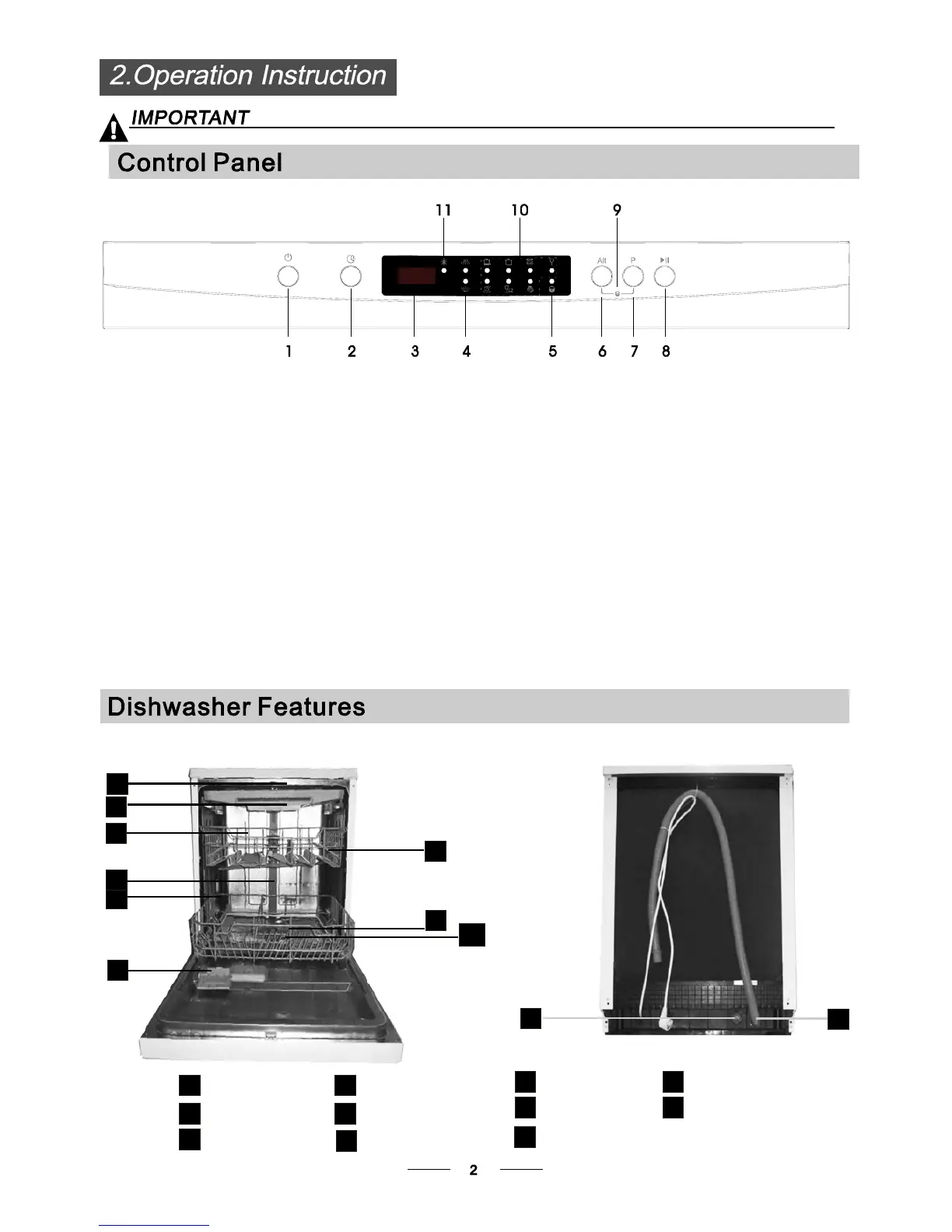
Program indicat ors: to sh ow which pr ogram you
have ch ose;
Power Button: To turn on/off the power supply.
Program Button : To Press the button to select
appr opriate Pro gram.
1.
11.
8.
7.
Alt B utt on: Du al zone wash funct ion, press th e bu tton
to s ele ct ei ther upper ba sket or lower basket load ed, a nd
the respons e indi cator w ill bl in king.
9.
Dela y B ut ton : To Pr es s the bu tton to de la y.
St art / Pause button: To star t the selecte d
washing program or pa use the w ashing program
when the mach ine i s w orking.
3.
Display screen : to sho w the de la y t i me , remain
t ime ,or err or c odes in dicator.
4.
2.
Child lock button: press the two buttons for 3 seconds
si mul t ane ou s ly to l ock the pr og ram .
10 .
Child lock indicator.
6.
Sp ra y A rms indic a to rs : t o show w h ick s pr a y ar m s
wil l work.
5.
rin se a id wa rn ing l ights : To show w hen t he
dispen ser need to be ref i lled.



 To Next Page