15
S
S
e
e
t
t
t
t
i
i
n
n
g
g
y
y
o
o
u
u
r
r
M
M
i
i
c
c
r
r
o
o
w
w
a
a
v
v
e
e
’
’
s
s
C
C
l
l
o
o
c
c
k
k
Before you start using your Microwave, you may want to set the
time on the Clock and Preset times for cooking
.
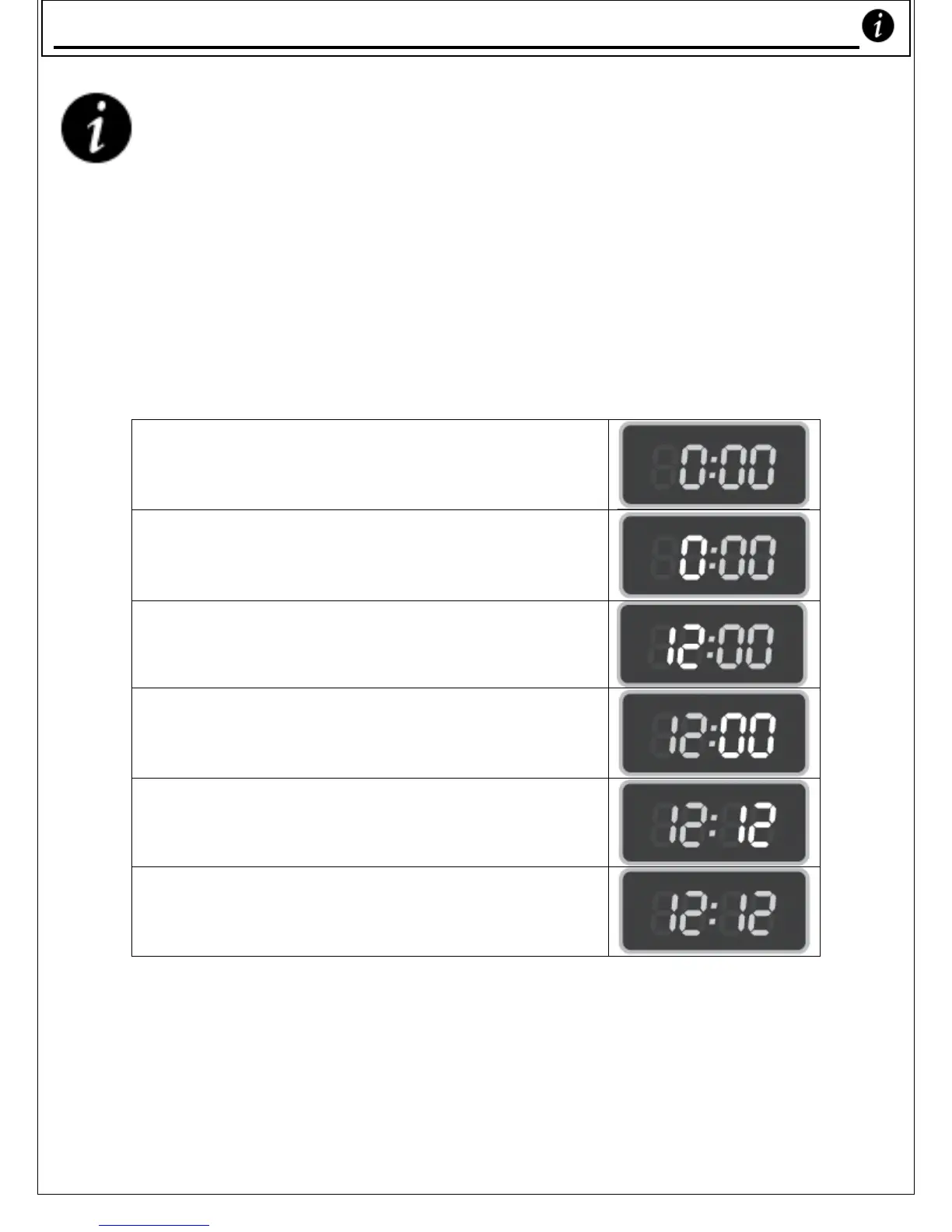
1. Clock setting – example, to set time as ‘12:12’
1) When you initially plug your Microwave
Oven in, you’ll see the LED showing
‘0:00’.
2) Press the ‘Clock / Preset’ key, the hour
figures flash;
3) Press the ‘10 Min’ key once and the ‘1
Min’ key twice to adjust the hour
figures;
4) Press the ‘Clock / Preset’ key, the
minute figures flash;
5) Press the ‘10 Min’ key once and ‘1Min’
key twice to adjust the minute figures;
6) Press the ‘Clock / Preset’ key, the clock
adjustment is now complete.
Settin
our Microwave’s Clock










 To Next Page