19
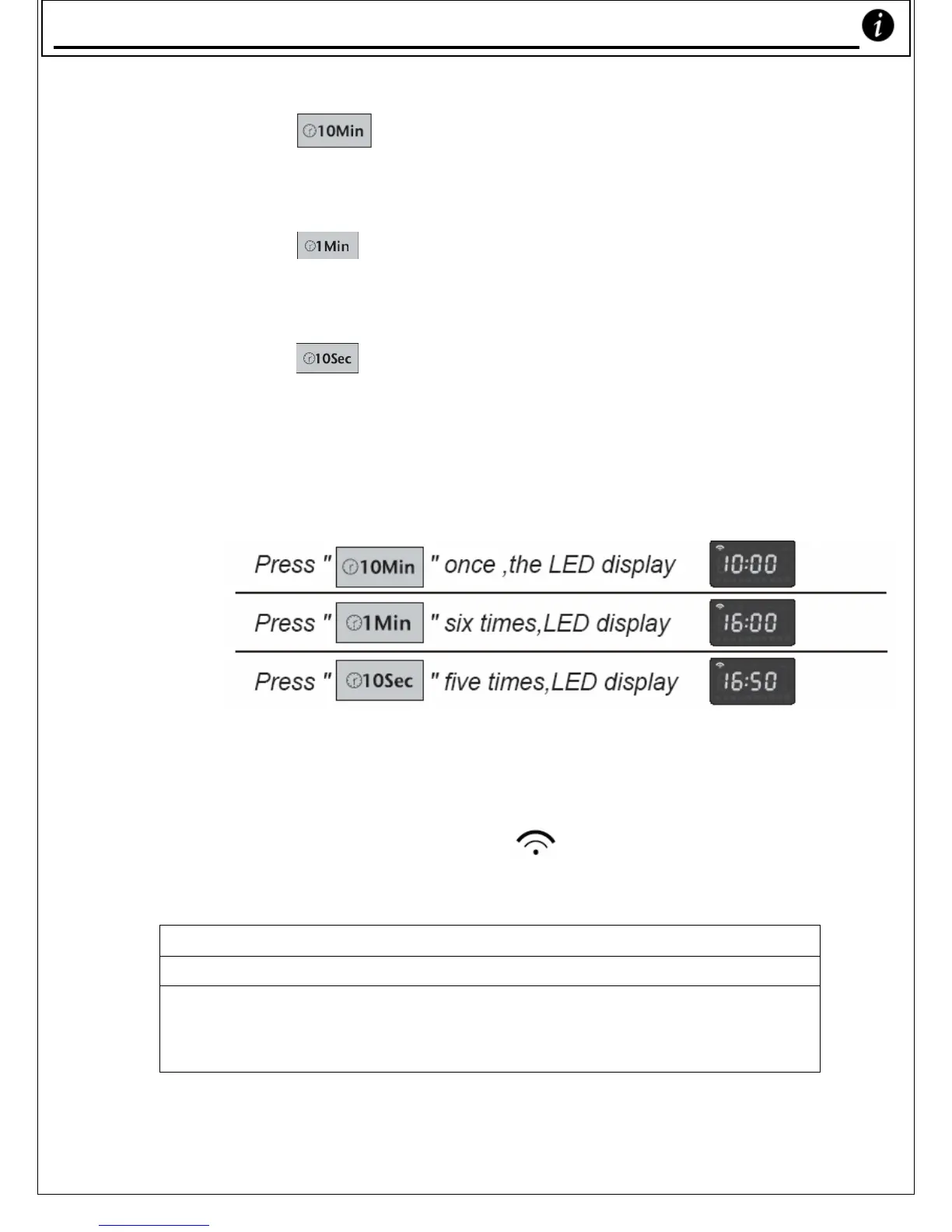
a) Press the ‘ ’ button to set the number of
minutes (each press raises the cooking time by ten
minutes).
b) Press the ‘
’ button to set the number of single
minutes (each press raises the cooking time by one
minute).
c) Press the ‘
’ button to set the number of
seconds (each press raises the cooking time by 10
seconds).
Eg. To set the cooking time for 16mins and 50 seconds:
* Note: don’t press Pause/Reset
3) You can now press the ‘START’ button to
begin cooking. The ‘
’ light will flash.
NOTE
To see what Power your Microwave Oven is cooking with:
During cooking, press the ‘MICROWAVE’ button. This will display
the current microwave power. After three seconds, it will show the
time remaining again.
Usin
our Microwave Oven










 To Next Page