16
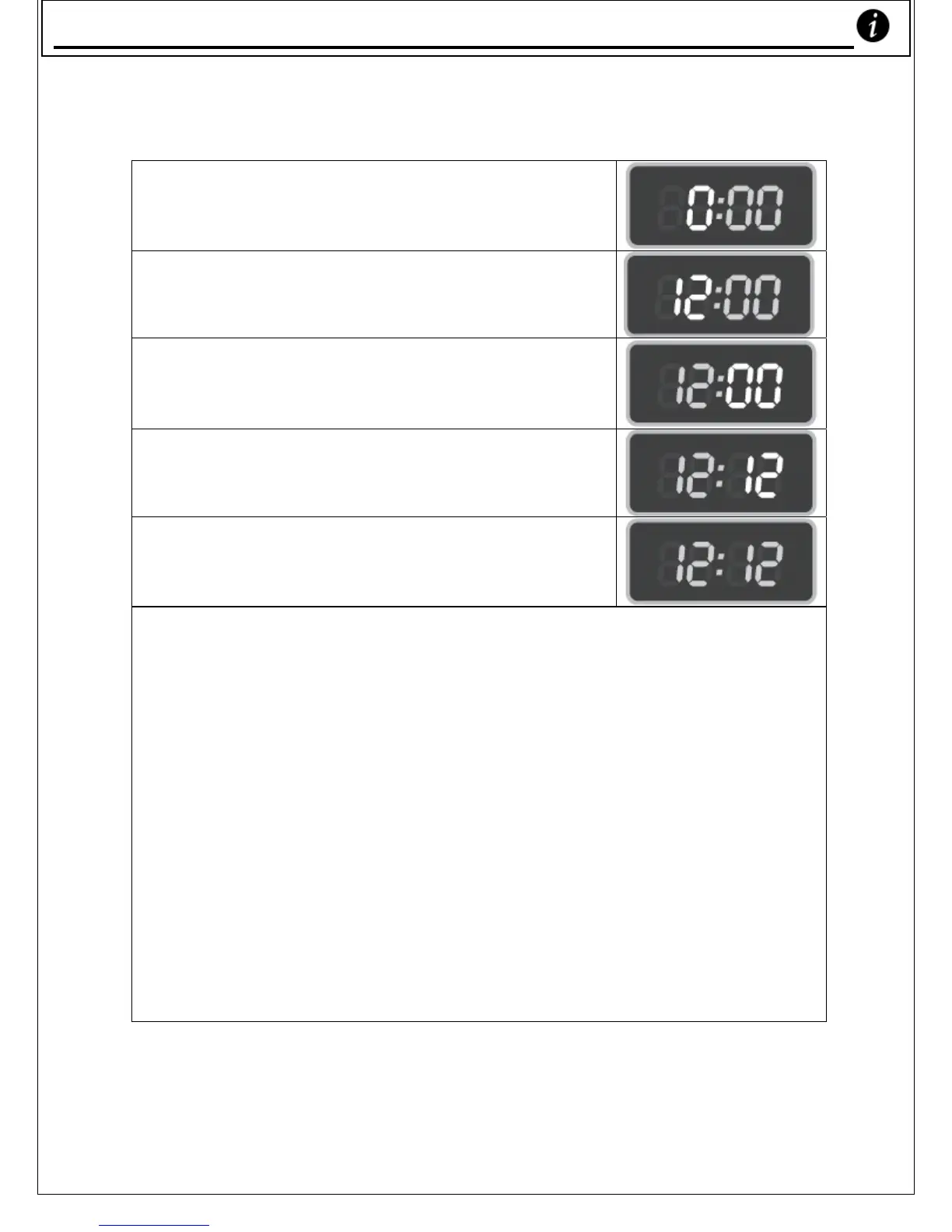
Setting your Microwave to Cook in the future; Eg. ‘12:12’
1. Press ‘Clock / Preset’ key. The Hour
figures will flash.
2. Press the ‘10 min’ key once and the ‘1 Min’
key twice to adjust the hour figures.
3. Press the ‘Clock/Preset’ key. The minute
figures will flash.
4. Press the ‘10 Min’ key once and the ‘1 Min’
key twice to adjust the minute figures.
5. Press the ‘Clock / Preset’ key. The clock
adjustment is completed.
6. Press the ‘
Quick cook’ key. The microwave will begin to operate.
7. Press the ‘
Pause / Preset’ key.
8. Set cooking procedure (see pages 18-32 for details on how to do
this & to see which procedure you want to cook with.)
9. Press ‘
Start’ to start preset cooking. Your microwave will start
cooking at 12:12.
Settin
our Microwave to Cook in the Future










 To Next Page