27
D
D
E
E
F
F
R
R
O
O
S
S
T
T
A
A
U
U
T
T
O
O
M
M
A
A
T
T
I
I
C
C
A
A
L
L
L
L
Y
Y
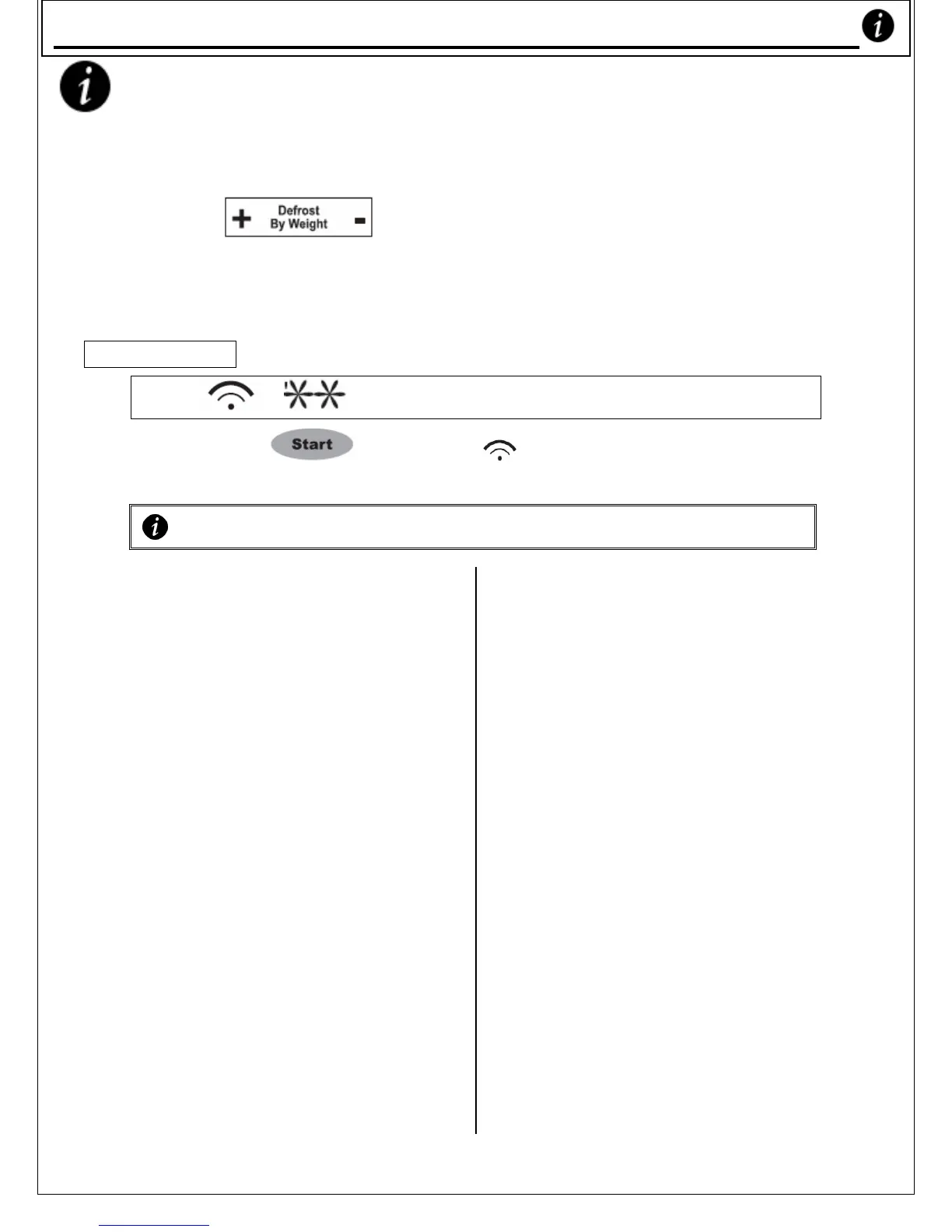
1) Press ‘ ’ and input the weight of what
you want to defrost. Initially pressing ‘+’ once raises the
weight from 0g to 100g. Initially pressing ‘-’ lowers it to
2000g.
For example, if you have a 500g chicken, enter ‘500’.
‘ ’, ’ , ‘AUTO’ and ‘g’ will light up.
2) Press the ‘ ’ button. ‘ ’ flashes, indicating
that defrosting has begun.
Notes on Defrosting
o Your Microwave Oven defrosts food
according to weight only.
o Place frozen, unpacked meat on an
upside down plate in a glass or
porcelain container. Or drain the
juices with a sieve. If you have
trouble removing plastic
wrappers, defrost the food in its
wrapper for a few minutes until
you can move the food from the
wrapper. DO NOT COOK IT IN
ITS WRAPPER AS MANY KINDS
OF PLASTIC WILL BE MELTED BY
MICROWAVE ENERGY.
o Halfway through defrosting, turn
the food, dividing it where
possible & removing the pieces
that have been defrosted.
o Defrosting butter, layered cake and
cottage cheese:
- Do not fully defrost in
your Microwave but leave to
adjust outside Microwave.
This will give a more even
result.
o Thaw fish, seafood, meat or
poultry in original closed
packages.
o Remove all metal/foil
packaging, wire ties &
accessories before defrosting.
o Metal clips may be left in
poultry. Twister ties must be
removed from bags and may be
replaced with rubber bands.
o
If turning is specified on the
guide, start defrosting whole
poultry breast side up.
o
o Food should still be somewhat
icy in the centre when removed
from the oven because the
edges of the food will begin to
cook if the microwaves thaw it
out completely.
o Using Stage Cooking (see p.29),
you can programme a stand
time or cooking time (or both)
to automatically follow
defrosting.
Defrost Automaticall










 To Next Page