will turn o the backlight to save battery power, but the backlight will turn
on again as soon as a button is pressed. This backlight can be activated by
pressing the [MENU] button ve times until “LIGHT ON” is displayed. Turn
the backlight on or o using the buttons. Press the [PTT] button to exit
menu or [MENU] button to continue set up.
Using Your Radio in the Field
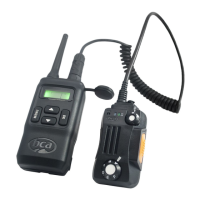
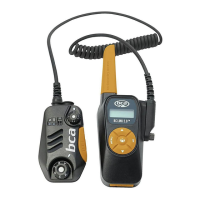
For recommendations on how to most eciently use your BC Link Mini in
the eld and for emergencies please visit https://backcountryaccess.com/
support/bc-link-radio-resources.
Technology Specications
Product
Weight
(oz)
Weight
(g)
BC Link Mini
Dimensions (in)
BC Link Mini
Dimensions (cm)
BC Link Mini Radio 6 oz 170 g 6.25” x 2.5” x 1.25” 15.9 x 6.4 x 3.2 cm
Channels
22 FRS
Sub-Channels
121 (38 CTCSS tones, 82 DCS codes)
Frequency Range
FRS
Operation Voltage
DC 2.7 V ± 10%
FM Modulation
11K0F3E @ 12.5kHz
Adjacent Channel
Power
60dB @ 12.5kHz
Transmission Current
≤ 1200mA.
Battery
Battery: 3.7VDC Li-ion with 1800mAh of usable capacity.
Battery Life
Dependent on usage; 33 hours normal use when radio is stored in
backpack. Transmitting in high power mode will shorten battery life.
Range
Approximately 6 miles line of sight, actual range dependent on
topography. Electrical interference and objects between the transmitting
and receiving radio can decrease range. In optimum circumstances,
range can be signicantly greater.
10


 To Next Page