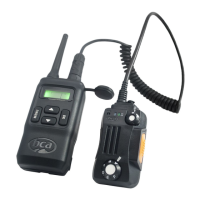
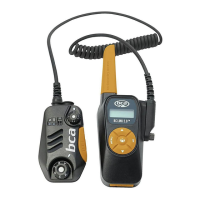
Power on/o
To turn the radio on, simply rotate the volume/power knob clockwise until
you hear a “click”. If your radio powers on correctly there should be an
audible tone after about one second. Turn the volume/power knob counter-
clockwise all the way until you hear a “click”. The radio is now o.
Adjusting the volume
To turn up the volume, turn the volume/power knob clockwise. To turn the
volume down, turn the volume/power knob counter-clockwise. Be careful not
to turn it too far, as you may inadvertently turn your radio o.
Talking on your radio
Clip the radio where desired or secure the radio onto your pack’s shoulder
strap. Rotate the power knob clockwise/counter clockwise to power on,
raise volume, or power o. To transmit, press and hold the [ PTT ] button,
wait one second before speaking. Release when nished speaking. Lights on
the radio: solid red = transmitting, solid green = receiving.
Presetting the channels
Channels 1 through 7 are 2.0W FRS channels. Channels 8 through 14 are
0.5W FRS channels. Channels 15 through 22 are 2.0W FRS channels.
While battery life is longer when using channels 8-14, the range of
transmission is shorter.
The BC Link Mini comes with two factory pre-set channels, but you can
customize them.
a. Press the [ MENU ] button and use the buttons to scroll
and select Channel A or Channel B.
b. Press the [ MENU ] button and use the buttons to scroll
and select a channel code.
7


 To Next Page