Charging battery
Connect the radio to a power outlet using the included cable and a USB
power adapter. Insert the cable into the radio’s charging port until you hear
a “click”. A full recharge can take up to six hours. The light next to the USB
port will be read when the radio is charging. The light will turn green when
the radio is fully charged.
Remaining Battery Power Display
This radio has a Battery Level Meter that shows the battery power
level. The greater the number of bars visible, the stronger the battery level.
When the battery level is low, the Battery Shell icon will ash in the
display indicating your battery should be recharged.
WARNING! To avoid the risk of personal injury or property damage from
re or electrical shock, only use accessories specically designated for this
product.
Connecting Belt Clip
Connect the Belt Clip to the radio by sliding the clip into the slot on the back
of the radio until it snaps into place.
Connecting the Webbing Clip & Strap
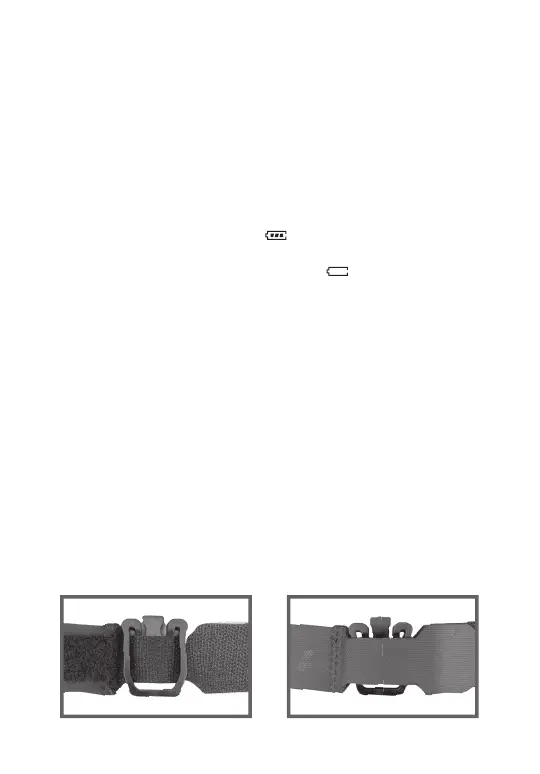
Connect the Webbing Clip to any webbing as shown in the image below.
Connect the Webbing Clip to the radio by sliding the clip into the slot on the
back of the radio until it snaps into place.
4


 To Next Page