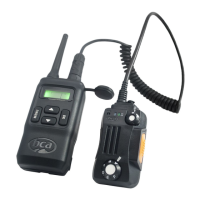
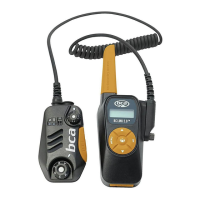
c. Stop on the desired channel code and wait three seconds, or
press the [ MENU ] button.
d. To set a privacy code, press the [MENU] button after selecting
a channel code, scroll to the desired privacy code and wait
three seconds, or press the [MENU] button.
The BC Link Mini comes with two preset channels from the factory:
A. Channel 1 privacy code o
B. Channel 5 privacy code 10
Key Lock
Hold down the buttons simultaneously for three seconds to lock the
keys. The icon will appear on the display. The [ PTT ] button will still be
active. Repeat the same procedure to unlock the keys.
Communication
To communicate between all units, all radios in the group must be set to the
same frequency and privacy setting. This includes radios of other brands.
To talk to other members in your group, hold the radio two inches from your
mouth. Press the [ PTT ] button and keep it pressed for at least one second
before talking. To listen, release the [ PTT ] button.
Return-to-Standby
180-second return-to-standby mode saves airtime and battery power. If
the [ PTT ] button is pressed for more than 180 seconds, the BC Link
Mini will revert to standby mode, to save battery power and prevent
channel blockage.
8


 To Next Page