BD FACSFlow Supply System User’s Guide14
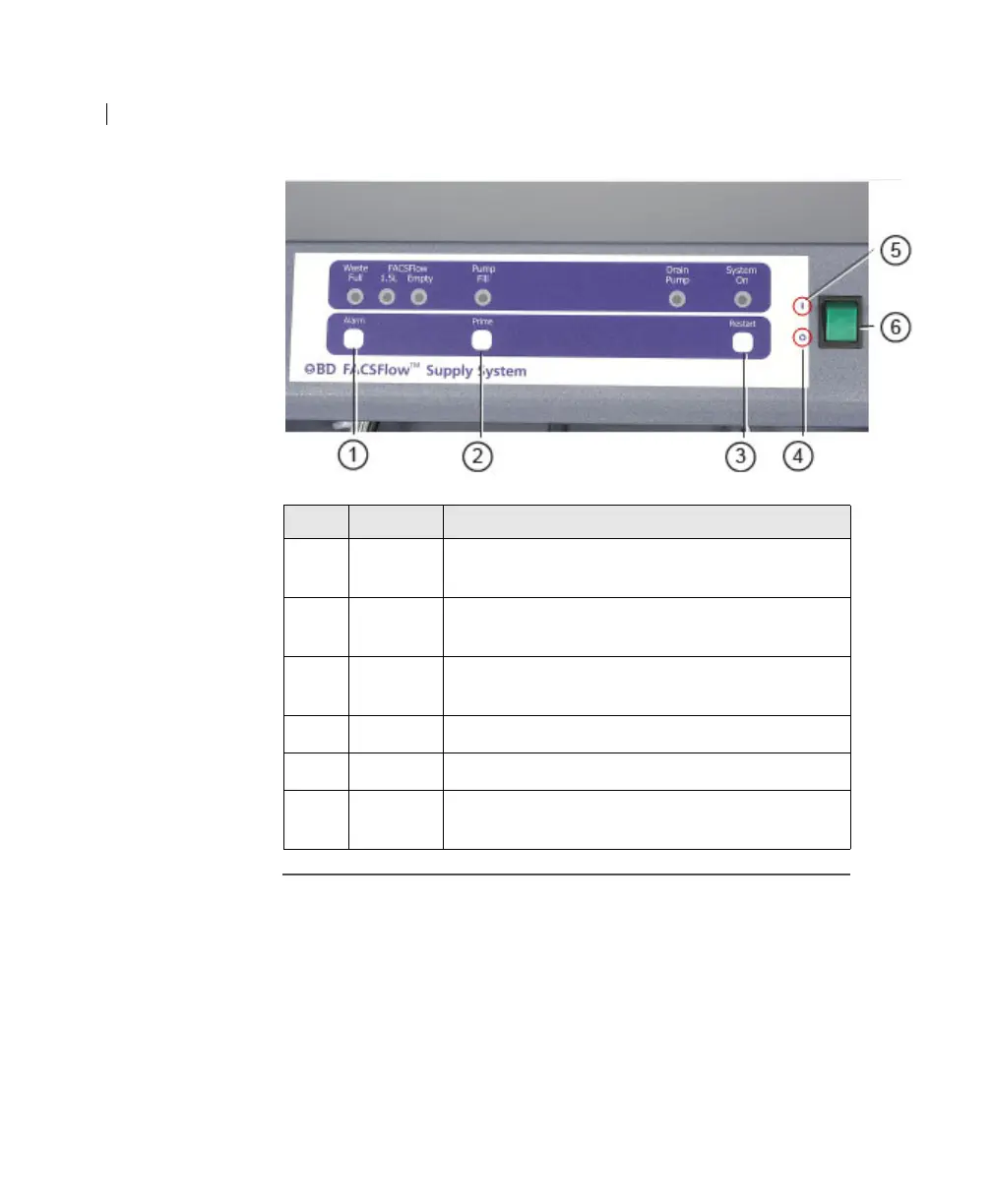
Indicator lights The following figure and table show the location of the indicator
lights and describe their functions.
Item Button Function
1 Alarm Shuts off the audible alarm. The indicator light
remains flashing until the situation is remedied.
2 Prime Pumps sheath fluid to the sheath plenum until it
reaches the default operational level.
3 Restart After an alarm, resets the system once the
situation is remedied.
4 O Indicates the off position of the power switch.
5 | Indicates the on position of the power switch.
6Power
switch
Turns the power on.



 To Next Page