Chapter 2: System overview 15
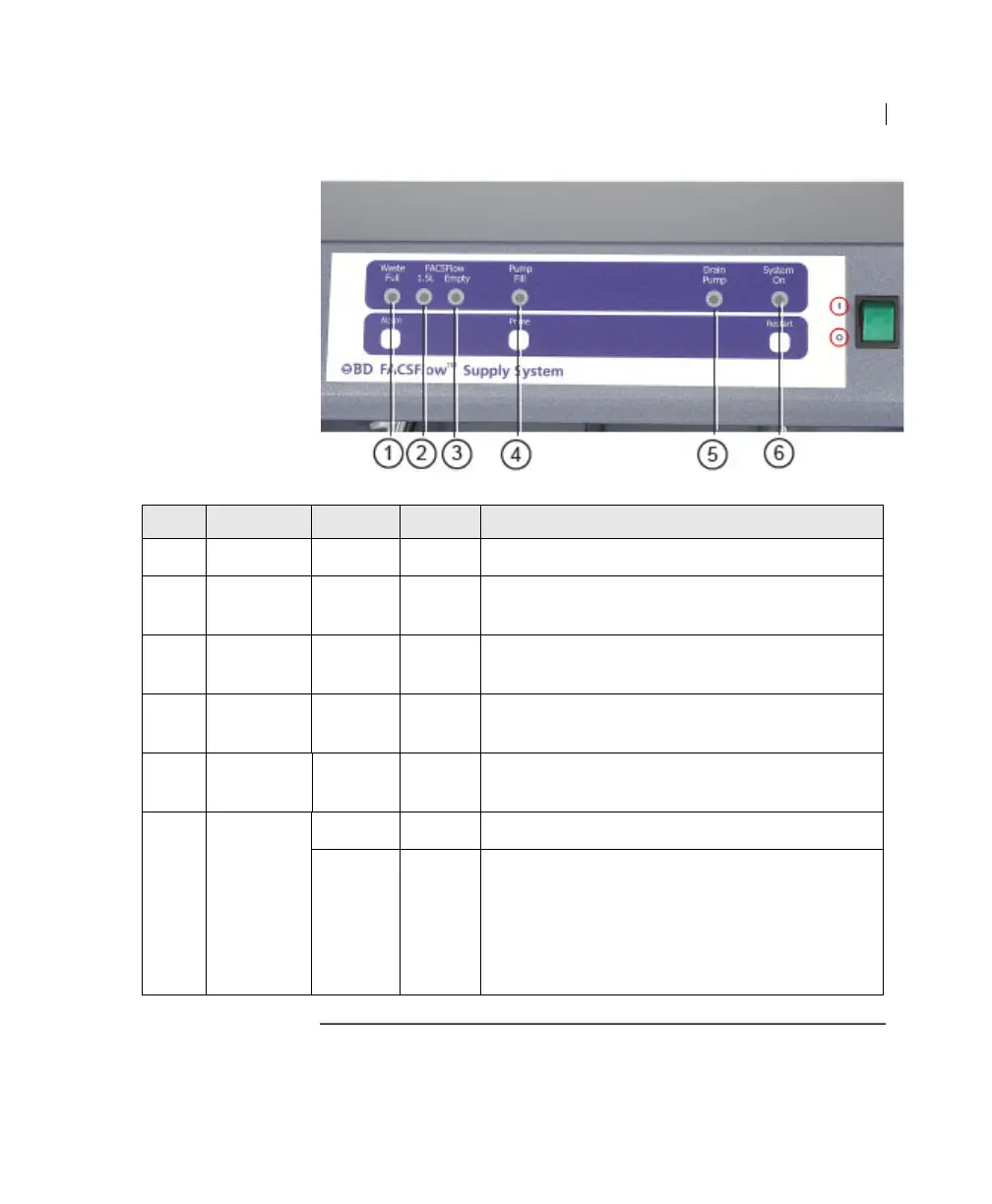
Item Indicator Display Color Meaning
1 Waste Full Steady Red The 20-L waste cubitainer is full.
2 FACSFlow
1.5 L
Flashing Red The 20-L BD FACSFlow cubitainer contains
approximately 1.5 L of sheath fluid.
3 FACSFlow
Empty
Steady Red The 20-L BD FACSFlow cubitainer is empty.
4 Pump Fill Steady Yellow Sheath fluid is being pumped from the cubitainer
to fill the cytometer sheath plenum.
5Drain
Pump
Steady Yellow The drain pump is in use.
6 System On Steady Green The system is turned on.
Flashing Green Indicates the power-on test of the internal
electronics has failed. Power off the system, wait
for 15 seconds, and turn the system on again. The
System On indicator light should now be steady.
If the indicator is still flashing, contact your BD
Biosciences service representative.



 To Next Page