8168
1
2
Step 6
Install Back Panels
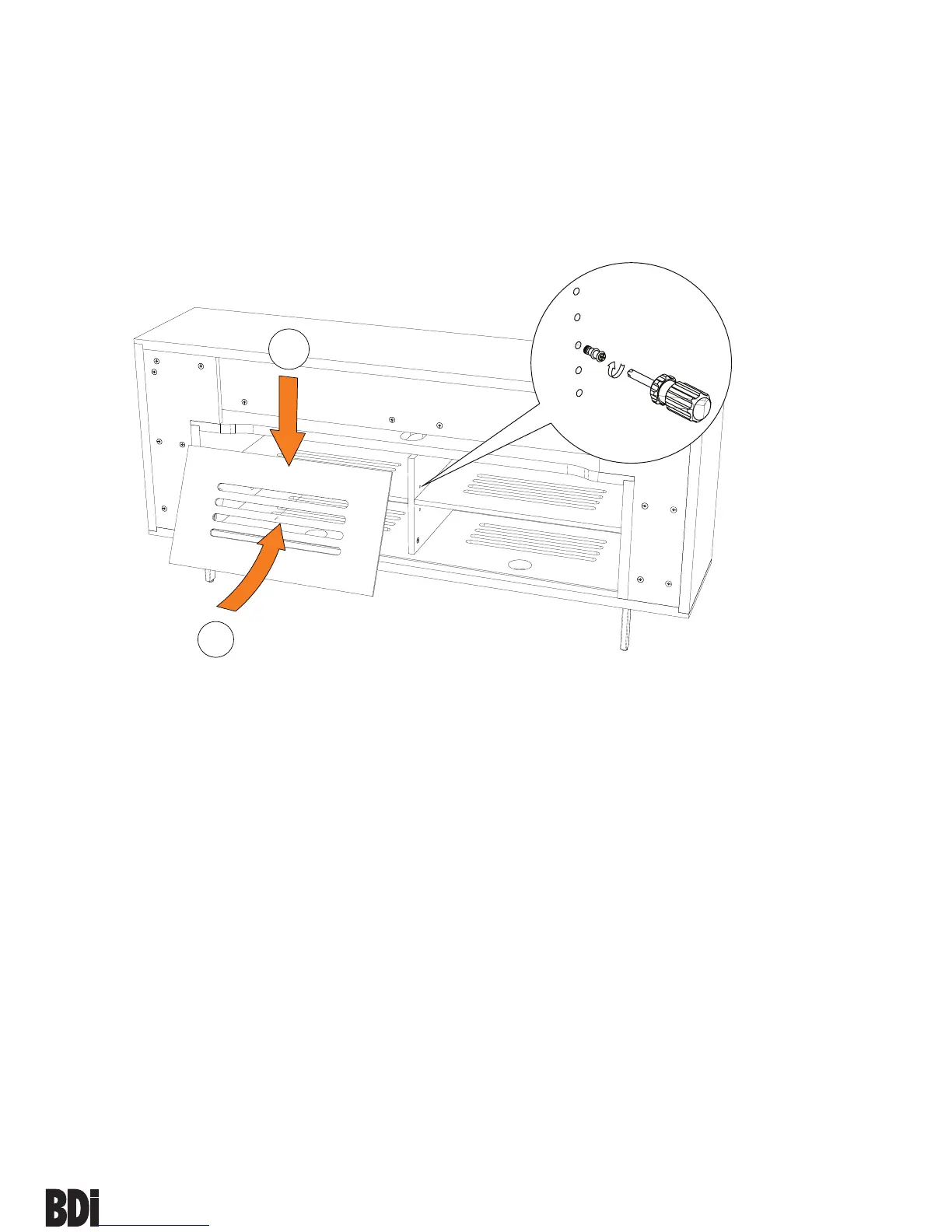
Install both Back Panels (K) to the backside of the cabinet by inserting top
edge in upper channel, then tipping bottom edge forward and into lower
channel.
NOTE: Velcro straps are included as wire management for your
convenience.
The shelf pins located inside
the left and right cabinet space
may be repositioned, allowing
you to raise or lower each shelf
to the desired level.


 To Next Page