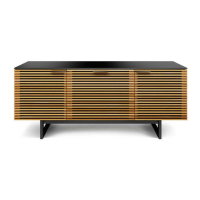
Designed by Matthew Weatherly.
These distinctive product configurations are protected by US and international patents, trade dress, and/or
copyright laws. Sequel & BDI are trademarks of Becker Designed, Inc. All rights reserved. ©2017 BDI
Made in Taiwan. 02.24.2017 v6
T2 4mm Hex Wrench
C7 Wire Tray x 1
C4 Keypad x 1
C5 Power Cord x 1
C3 Control Module x 1
C8 Glass Panel x 1
A1 Main Panel x 1
C1 Leg x 2
C6 Cord Conduit x 1
C2 Foot x 2
bdiusa.com
customerservice@bdiusa.com
SEQUEL
®
6051/6052
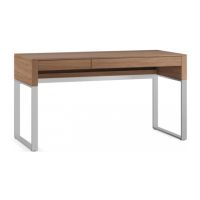
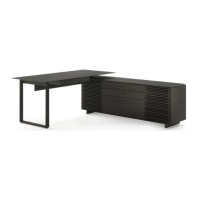
LIFT DESK
H5 1/4-20 x 12mm Screw x 7
Tool Required:
Phillips Screwdriver
H2 #6 Wood Screw x 6
H3 M6 x 12mm Screw x 12
H8 Glass Bumper x 2
C9 Grommet Cover x 1
H9 Dual Lock Dot x 8
Product Registration
Registering your new BDI product allows us to send you important
product updates, service information and helpful hints related to your BDI
products. Register today, and you will be entered to win free a BINK table
from BDI: www.bdiusa.com/register
Placement and Maintenance
Sequel® Lift Desk is designed for indoor use on level floors. Clean glass
with glass cleaner, and steel parts and wood veneer with a moist cloth.
Your Sequel® Office furniture is engineered for easy assembly. Carefully
follow this procedure to prevent any damage. Do not use power tools
for assembly of this product.
Step 1
Unpack and identify the parts listed below. The assembly workspace
should be a non-marring surface such as carpet. For missing hardware
pieces, please contact BDI Customer Service at customerservice@bdiusa.
com. For all other concerns, please contact your BDI retailer.
H7 Leveler x 4
H6 Cord Clip x 6
H1 #10 Wood Screw x 4
T1 5mm Hex Wrench
H4 M6 x 16mm Screw x 8
OWNER’S MANUAL

 Need help?
 General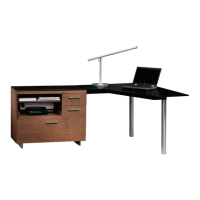

 To Next Page