BDIUSA.COM | 13NEED ASSISTANCE? customerservice@bdiusa.com
ASSEMBLY
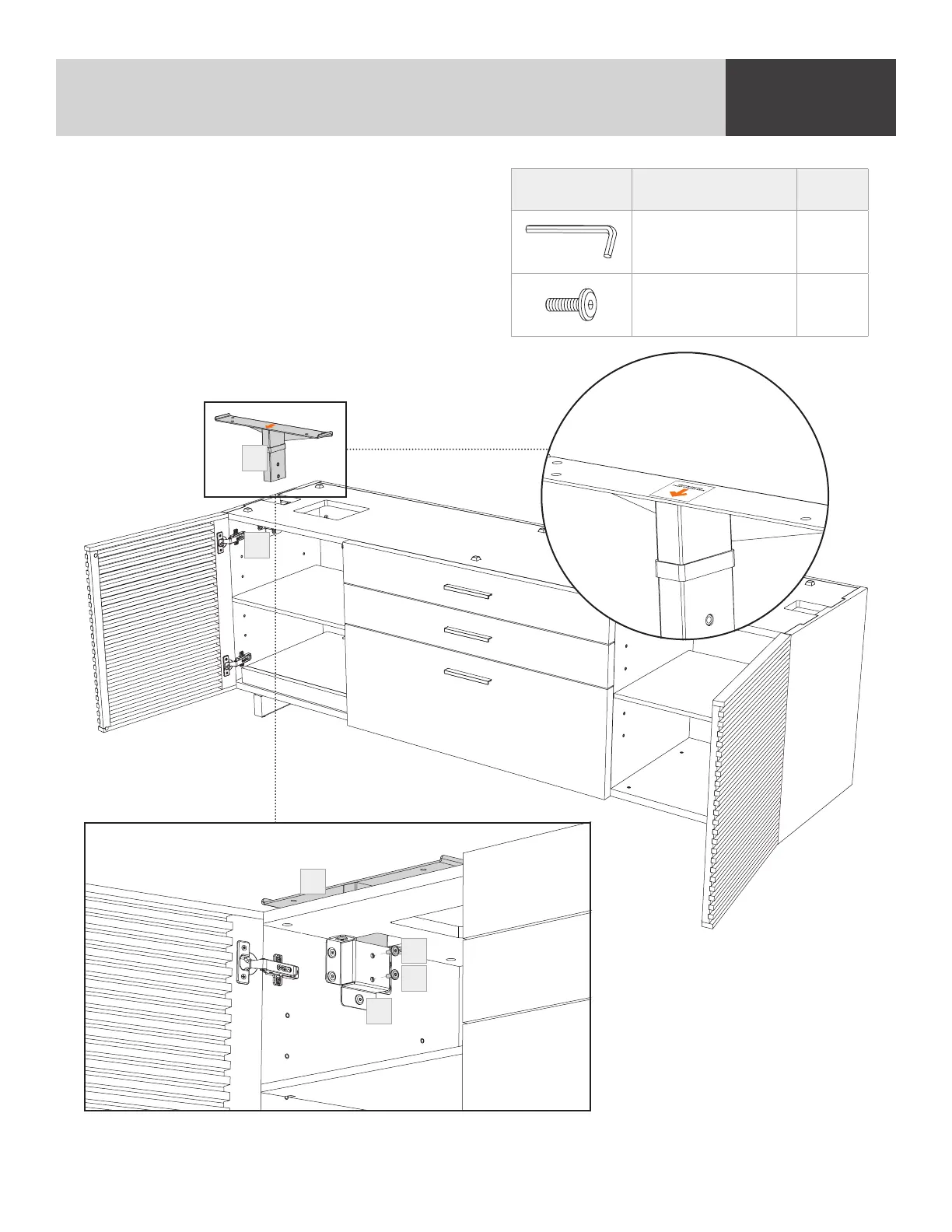
STEP 6. ATTACH “T” BRACKET
Insert the (C9) “T” Bracket into the (C8) Connection
Socket. Ensure the arrow on the top of the
Bracket is pointing towards the desk. Fasten the
(C9) “T” Bracket to the (C8) Connection Socket
using 2 (H3) Screws. Tighten all 9 (H3) Screws
holding the (C8) Connection Socket with the
(T1) Hex Wrench.
PART/DESCRIPTION QTY
T1-HEX WRENCH 1
H3-SCREW 2
C9
C8
C8
H3
H3
C9
Arrow sticker facing desk


 To Next Page