BDIUSA.COM | 25NEED ASSISTANCE? customerservice@bdiusa.com
PULLOUT PRINTER POSITION (continued)
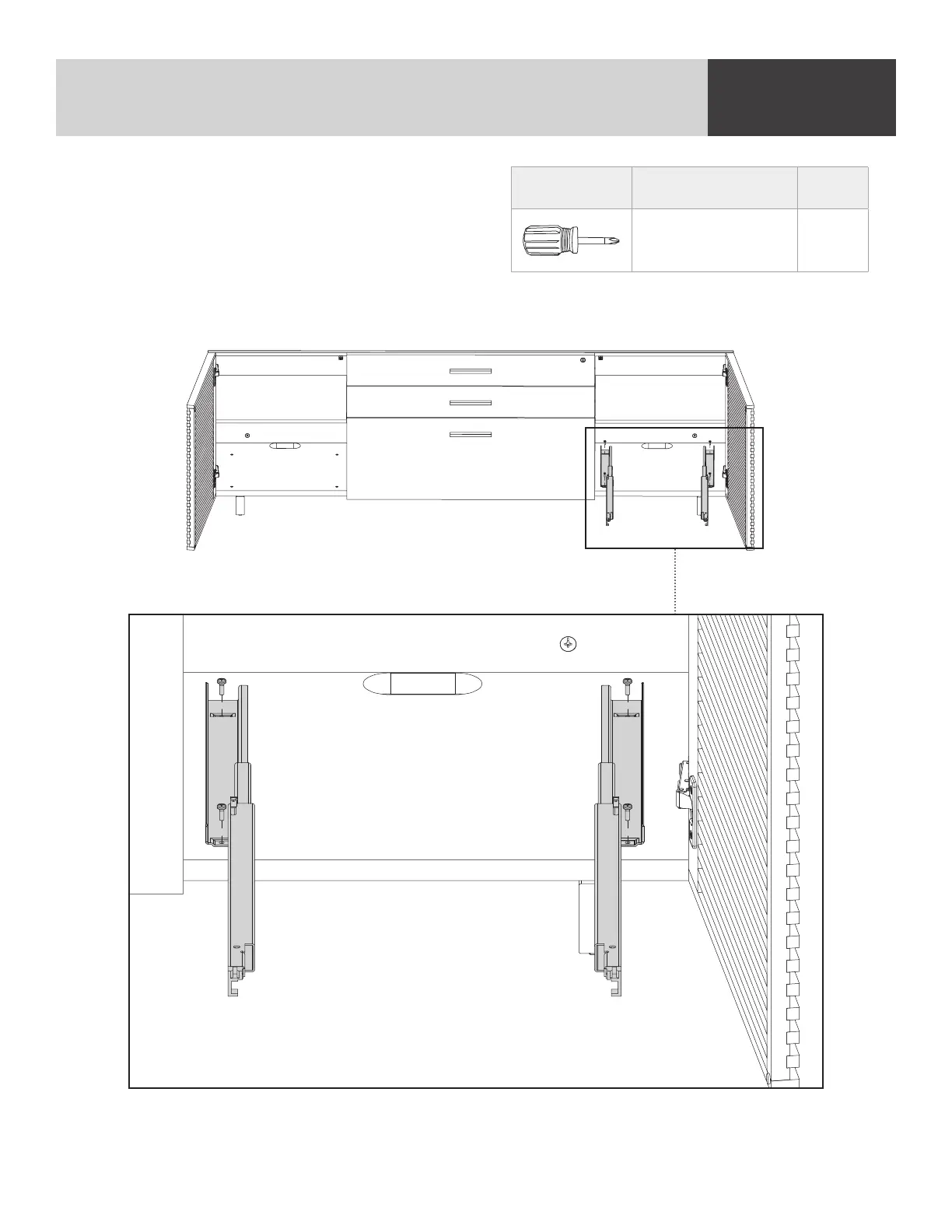
Being careful to maintain the original orientation of
the drawer slides, move the slides into the other
cavity. Using the (T2) Phillips Screwdriver, insert the
screws into the threaded inserts in the cabinet’s
bottom panel.
To reattach the printer tray, place the printer tray directly on top of the metal tray slides and slide
in until it “snaps” back on.
PART/DESCRIPTION QTY
T2-PHILLIPS
SCREWDRIVER
1
FINE TUNING


 To Next Page