13
12
3:
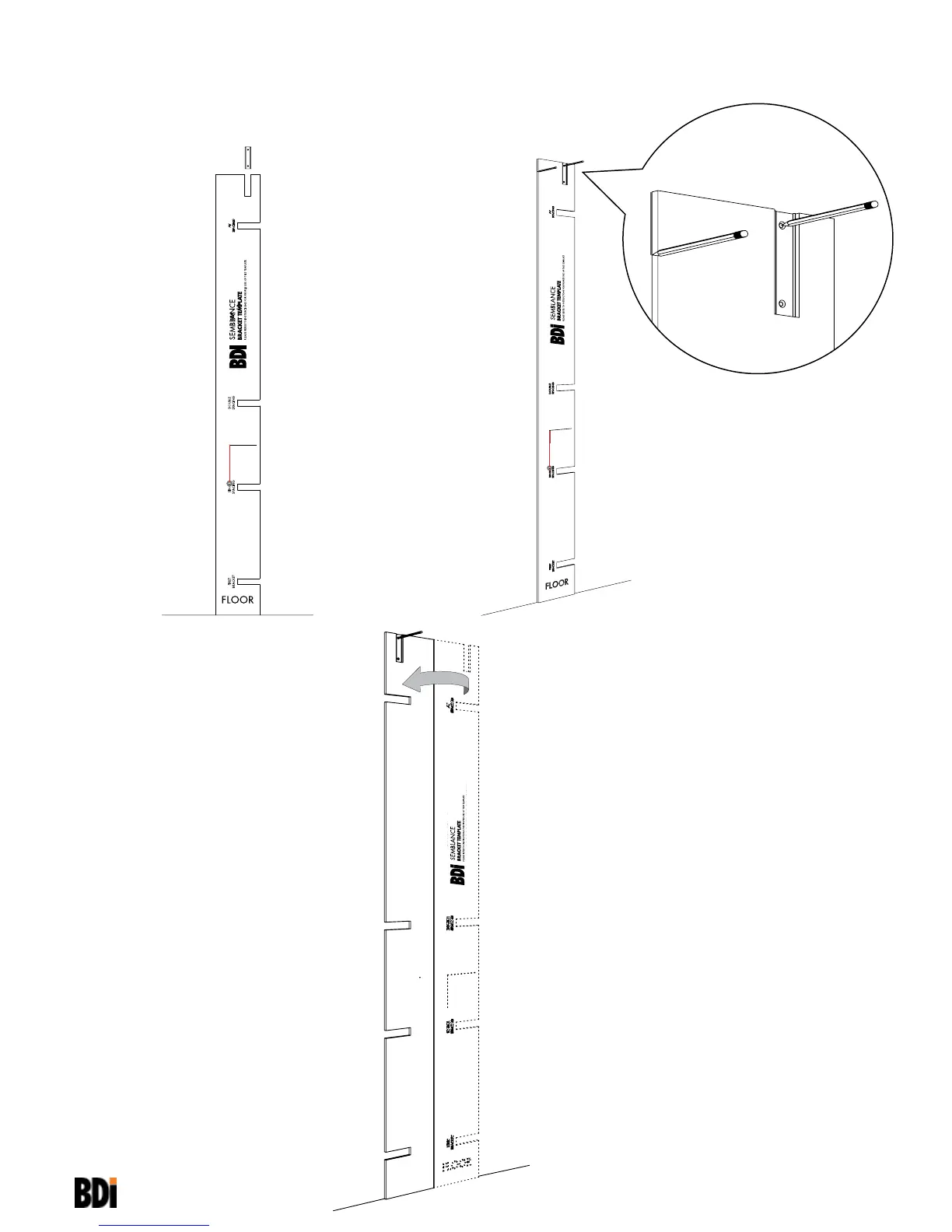
Mark Bracket hole location on wall and
mark the left edge of the Template on the
wall.
B
2:
Leveling the Template with the string,
insert Wall Bracket (B) into designated
groove.
4:
Flip Template over and align right side of
Template with wall mark to locate second
Bracket position. Mark second Bracket
hole location lightly on wall and then install
Bracket.
B


 To Next Page