S. 22
CONTROL PANEL AND REMOTE
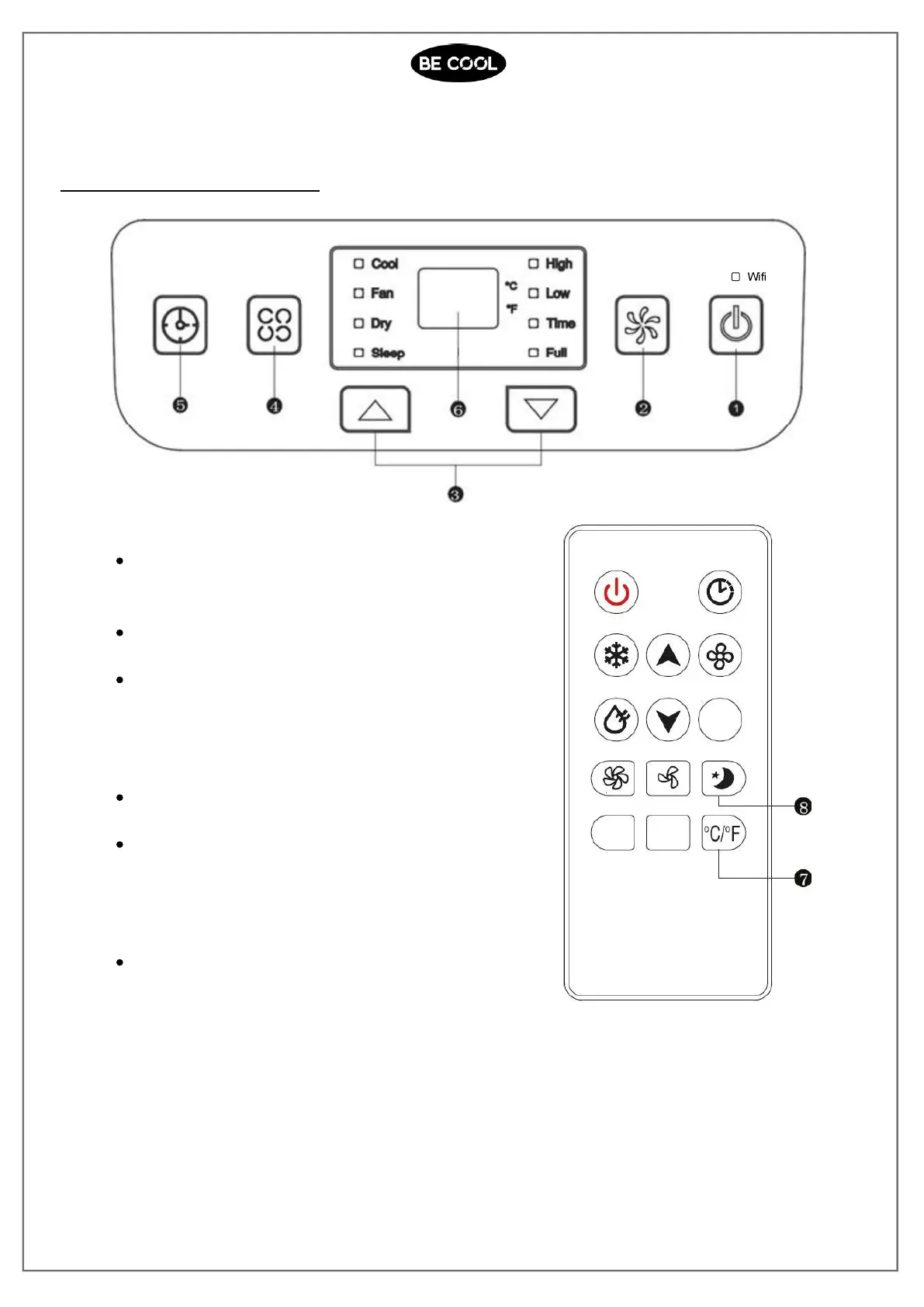
Control panel & Remote control
1) Power key
Press the key to turn on or turn off the machine.
2) Fan speed selection key
In cooling and air supply mode, press the key to
select high or low wind speed operation.
In dehumidification mode, pressing the key is
invalid, and the fan will forcibly choose low wind
speedoperation.
3) Up and Down keys
Press the key to increase/decrease temperature
and timing set value.
Pressing the up and down key simultaneously
switches the display of the temperature between
degrees Celsius and Fahrenheit.
4) Mode selection key
Press the key to switch between cooling, fan and
dehumidification mode.














 To Next Page