75.5892.03 KEYPADS 20171013 Page 3 of 575.5892.03 KEYPADS 20171013 Page 3 of 5
PROGRAMMING NOTES:
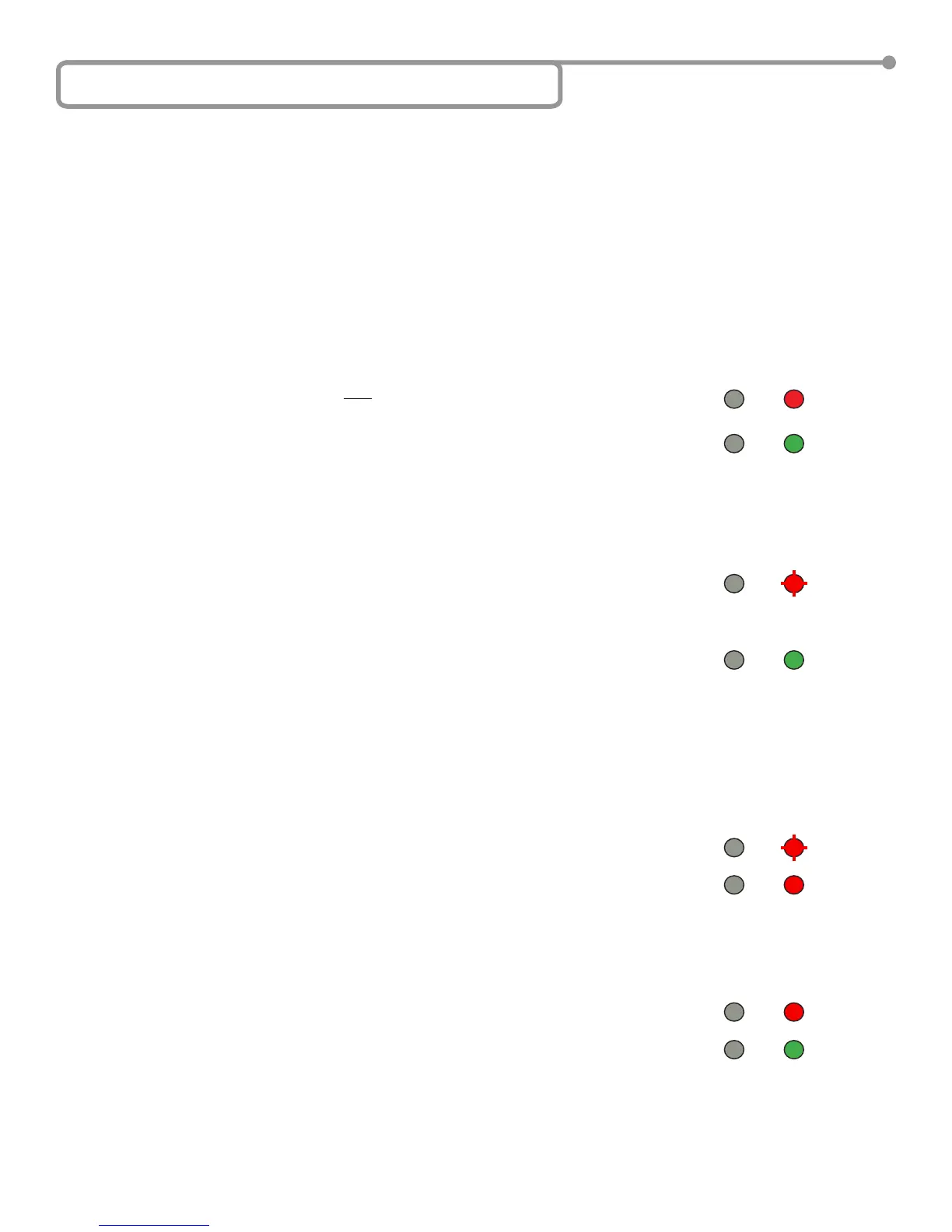
red
red
red
red ashing
red ashing
DOOR MODE
green
green
green
6 Keypad Programming
1) Enter “setup” mode:
a. Enter the default administration code (1234) twice (i.e. 1234 + 1234) to enter “setup” mode.
Mode LED will turn red and a long beep will be heard.
b. Press the “#” key to exit “setup” mode. Mode LED will turn green.
Modify admin code:
a. Enter “setup” mode.
b. Press the star (*) key and then “3”. Mode LED will ash red.
c. Enter a new 4-digit number (0000 – 9999) twice to set the new admin code.
d. Press “#” to exit “setup” mode. Mode LED turns green.
Change the length of admin code:
Changing the admin code length will delete all existing user codes.
Changing the admin code length will reset the admin code back to a sequential number (similar to that in
step 1a), consiting of the correct amount of digits (e.g. if the admin code length is changed to 6 digits, the
admin code defaults to “123456”).
a. Enter “setup” mode.
b. Press the star (*) key and then “9”. Mode LED will ash red.
c. Press “0” and then “4”. A short beep will sound. Mode LED will turn red.
d. Enter the length of the admin code in digits, ranging from “2” to “6” (“2” is the minimum code length, and “6”
is the maximum).
• one beep = admin code length successfully changed
• three beeps = admin code length is equal to existing length
e. Press “#” to exit “Admin code length setup” mode. Mode LED remains red.
f. Press “#” again to exit “setup” mode. Mode LED turns green.
If you forget the administration code, turn off the power, press and hold “#” key, and then turn the power back on. A short beep
will be heard and the administration code has been restored back to 1234.
If no buttons are pressed within 30 seconds while in “setup” mode, the device will turn back to normal function automatically.
Mode LED turns green.
If any incorrect key combinations are entered, a continuous beep will be heard.


 To Next Page