Page 6 of 8 75.5892.04 KEYPADS 20201007
PROGRAMMING (cont.)
USER CODES (cont.)
DOOR MODE
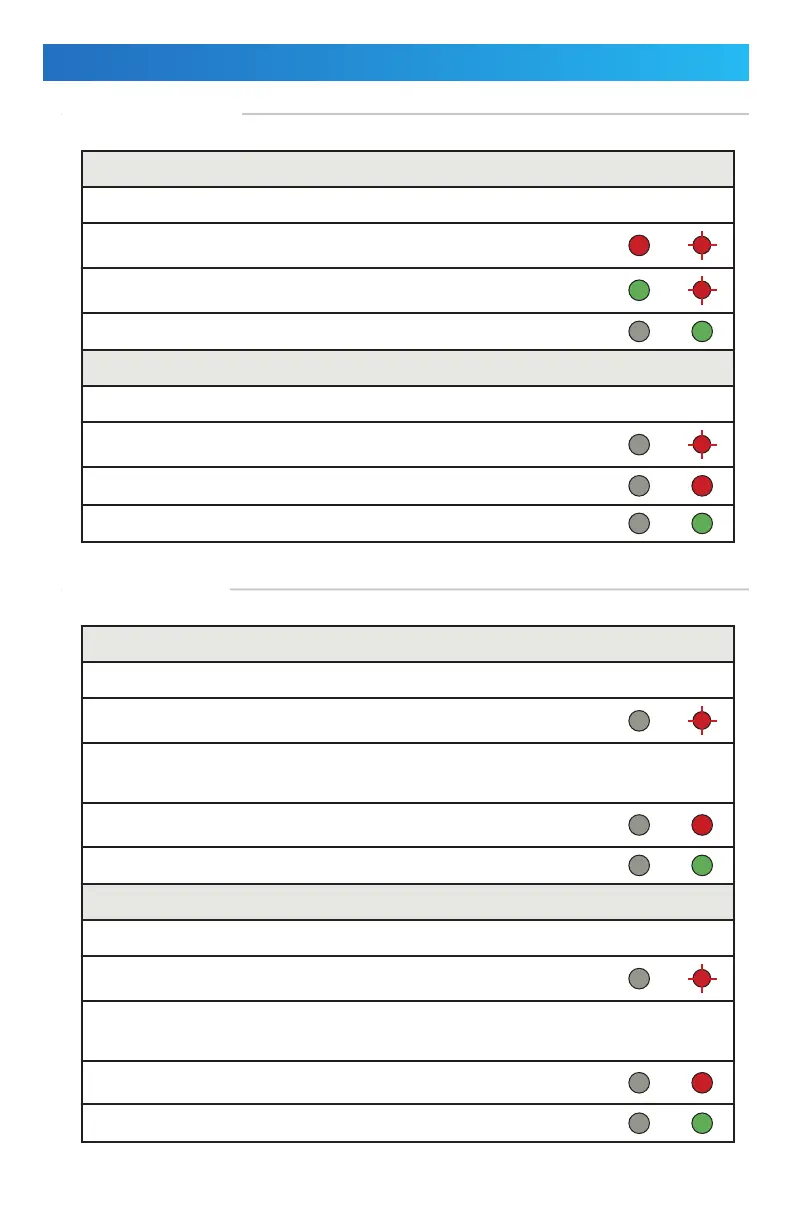
REMOVE ONE USER CODE
Enter “setup” mode.
Enter the location of the user code to be deleted (three digits). Mode LED will
flash red.
Press the star (*) key twice to delete. Door LED turns green. Mode LED will flash red.
Press “#” twice to end programming. Mode LED turns green.
REMOVE ALL USER CODES
Enter “setup” mode.
Press the star (*) key and then “8”. Mode LED will flash red.
Press “8” twice. A long beep will sound. Mode LED will flash red.
Press “#” again to exit “setup” mode. Mode LED turns green.
UNLOCKING TIMES
DOOR MODE
SET UNLOCKING TIME FOR ZONE 1
Enter “setup” mode.
Press the star (*) key and then “1”. Mode LED will flash red.
Enter a 2-digit number (00 – 99) for the “unlock time” value.
• “00” = sets “unlock time” to toggle mode (“00” to both open and close the door)
• “01” – “99” = “unlock time” in seconds
After entering the “unlock time” number, a long beep will sound and the mode
LED turns red.
Press “#” again to exit “setup” mode. Mode LED turns green.
SET UNLOCKING TIME FOR ZONE 2
Enter “setup” mode.
Press the star (*) key and then “5”. Mode LED will flash red.
Enter a 2-digit number (00 – 99) for the “unlock time” value.
• “00” = sets “unlock time” to toggle mode (“00” to both open and close the door)
• “01” – “99” = “unlock time” in seconds
After entering the “unlock time” number, a long beep will sound and the mode
LED turns red.
Press “#” again to exit “setup” mode. Mode LED turns green.


 To Next Page