27
Menu Adjustments
CEC Settings
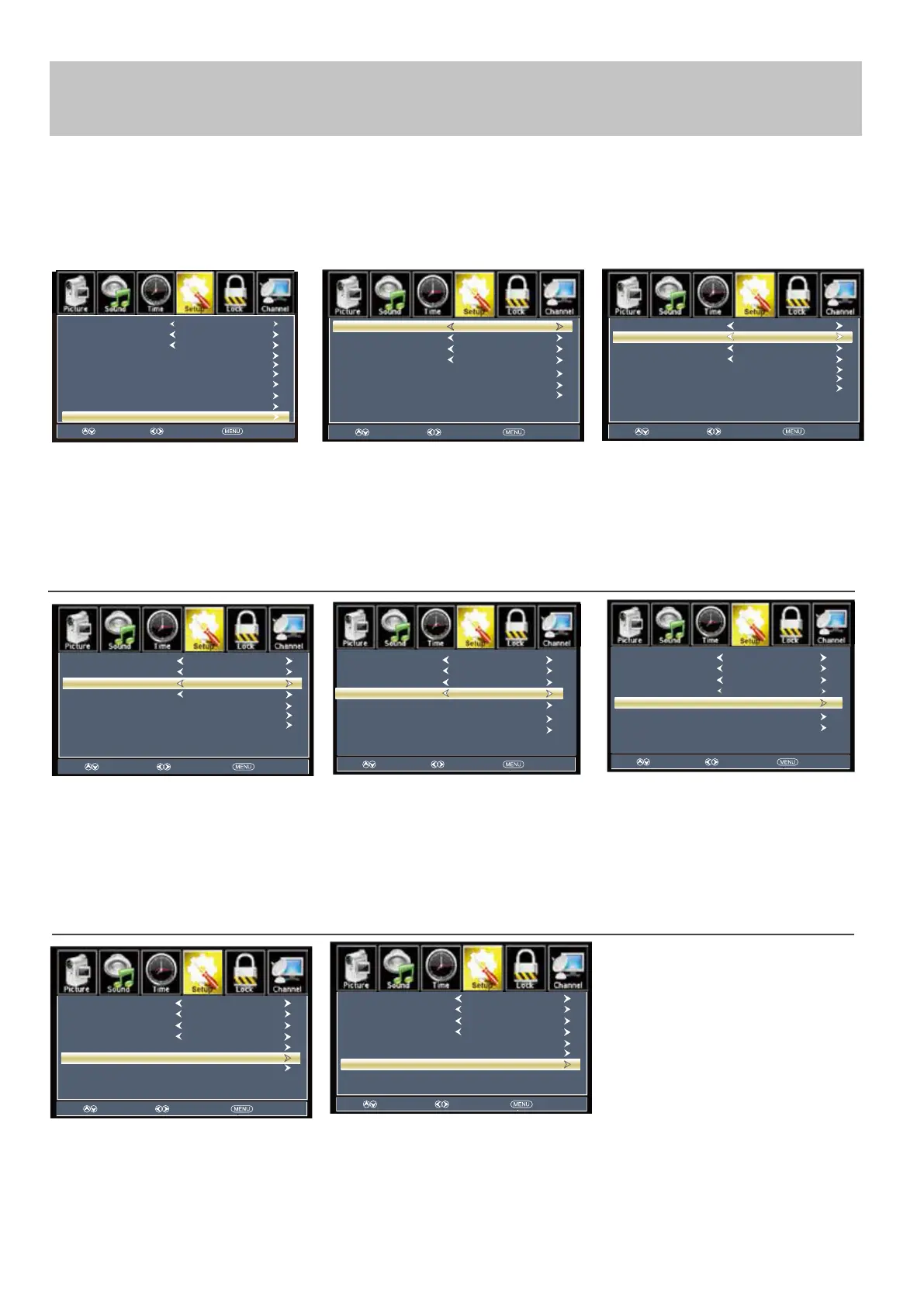
The CEC menu includes options for controlling functions of compatible external devices connected via the HDMI input.
Please refer to the instruction manual of your connected device to confirm if CEC control is possible.
How to Navigate:
Press the MENU button on the remote control. Navigate using arrow buttons to select Setup
ress the don arrow
button to highlight CEC then press
the arrow button to highlight
CEC Control.
aviate usin the arrow
buttons to select On - O ff. When you
select On, the CEC functions open.
Otherwise the CEC functions close.
ress the don
arrow button
to highlight Device Auto Power Off.
Navigate using the arrow
buttons to select On - Off.
If this item is “On”, the external device
will be turned off automatically when
the TV is powered off
ress don arrow button to
highlight TV Auto Power On.
Navigate using the arrow
buttons to select On - Off
If this item is “On”, when the TV is
turned on, the external device will turn
to HDMI mode automatically during
powering on.
If this item is “On”, users can control
the volume of the external amplifier
through adjusting the TV's volume.
ress don arrow button to
highlight Audio Receiver. Press
the arrow button to select On -
Off.
Note: When adjustments are completed, you may select another menu by pressing the Menu button.
ress the arrow button to
highlight Connect. Press the
arrow button to connect TV and
DVD Player.
ress the arrow button to
highlight Root Menu. Press the
arrow button to enter DVD menu.
ress the arrow button to
highlight Device Lists. Press the
arrow button to enter.
Select Move Exit
Device Auto Power Off
Audio Receiver
TV Auto Power On
Connect
Root Menu
On
On
On
Device Lists
CEC Control On
Select Move Exit
Audio Receiver
TV Auto Power On
Connect
Root Menu
On
On
CEC Control On
Device Auto Power Off
On
Device Lists
Select Move Exit
Menu Language
Transparent
Closed Caption
Over Scan
OSD Time out
Other Settings
Input Label
Restore Default
Setup Wizard
English
25%
30Sec.
CEC
Select Move Exit
Audio Receiver
Connect
Root Menu
On
CEC Control On
Device Auto Power Off
On
TV Auto Power On
On
Device Lists
Select Move Exit
Root Menu
CEC Control On
Device Auto Power Off
On
TV Auto Power On
On
Connect
Audio Receiver
On
Device Lists
Select Move Exit
Root Menu
CEC Control On
Device Auto Power Off
On
TV Auto Power On
On
Connect
Audio Receiver
On
Device Lists
Select Move Exit
Audio Receiver
Root Menu
On
CEC Control On
Device Auto Power Off
On
TV Auto Power On
On
Connect
Select Move Exit
Audio Receiver
On
CEC Control On
Device Auto Power Off
On
TV Auto Power On
On
Connect
Device Lists
Device Lists
Root Menu



 To Next Page