EasyManua.ls Logo

BEA LZR-I30 - User Manual

BEA LZR-I30
12 pages
Print Icon
To Next Page IconTo Next Page
Loading...
75.5667.11 LZR-I30 20191125 Page 1 of 12
LZR
®
-I30
75.5667.11 LZR-I30 20191125 Page 1 of 12
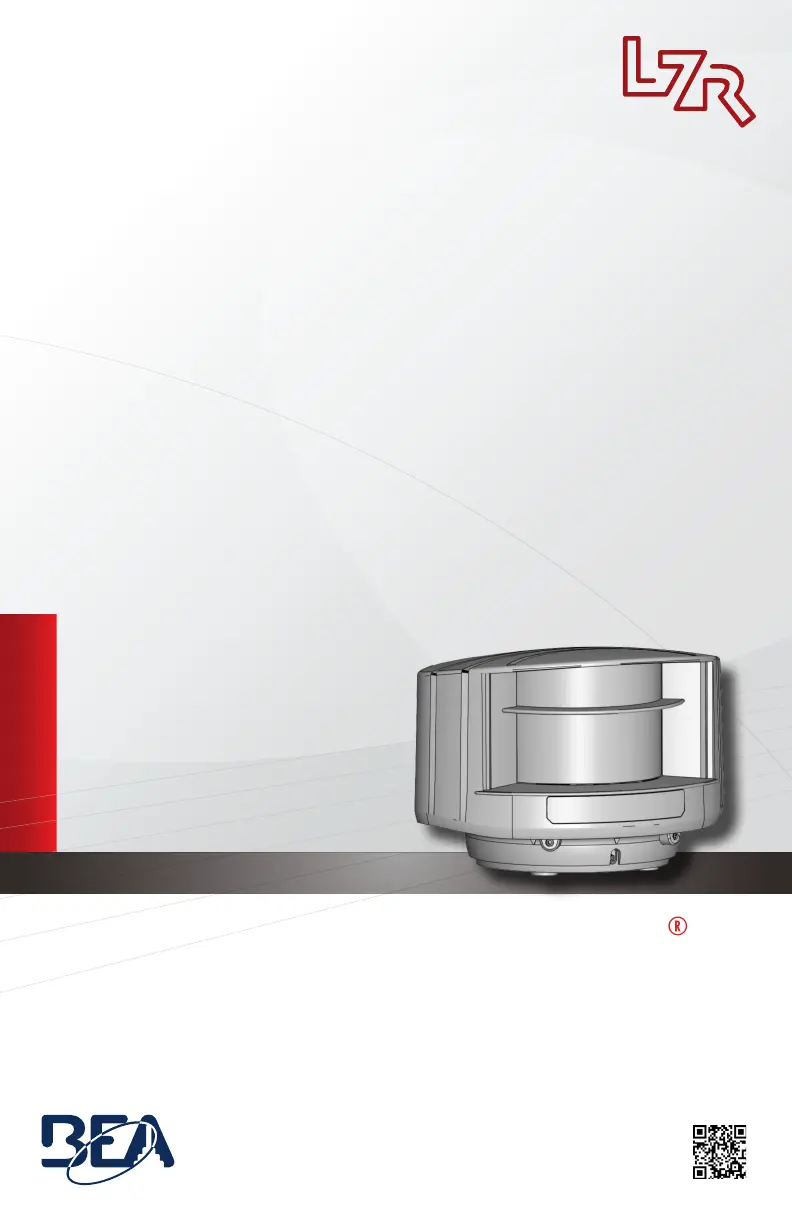
LASER SCANNER FOR INDUSTRIAL DOORS
with max. detection range of 30 ft x 30 ft
User’s Guide
Visit website for
available languages of
this document.
EN

Other manuals for BEA LZR-I30

Questions and Answers

  • M
    Mary KempSep 4, 2025
    What to do if BEA LZR-I30 Scanner access code needs entered or an incorrect code was used?
    • W
      William LopezSep 4, 2025
      If the BEA Scanner requires an access code or an incorrect code was used, cut and restore the power supply. No code is required to unlock during the first minute after powering.
  • H
    Henry MccannSep 18, 2025
    What to do if 30 minutes after last use, BEA Scanner locks access to RC?
    • F
      floyddebraSep 18, 2025
      To regain access to the Remote Control (RC) on your BEA Scanner after it locks 30 minutes after the last use, cut and restore the power supply. The RC will be accessible again for 30 minutes.
  • J
    joseph66Sep 16, 2025
    What to do if all LEDs have been deactivated by remote control on BEA LZR-I30 Scanner?
    • T
      Terry RobinsonSep 16, 2025
      If all LEDs on the BEA Scanner have been deactivated by remote control, activate the LEDs using the remote control.
  • P
    Parker WalkerSep 14, 2025
    What to do if BEA Scanner reflective object is close to the sensor?
    • K
      Kevin BrooksSep 14, 2025
      If a reflective object is too close to the BEA Scanner, avoid highly reflective material in proximity to the sensor.
  • C
    Chelsea SmithSep 12, 2025
    What to do if BEA Scanner exceeds temperature limits?
    • K
      Kelly WolfSep 13, 2025
      If the BEA Scanner exceeds temperature limits, verify the temperature of the environment and protect the sensor from sunlight using a cover, if necessary.
  • D
    Deanna GonzalesSep 12, 2025
    What to do if BEA Scanner power supply voltage exceeds acceptable limits?
    • A
      Angela BurkeSep 12, 2025
      If the BEA Scanner power supply voltage exceeds acceptable limits, check the power supply voltage.
  • W
    wowensSep 9, 2025
    What to do if BEA LZR-I30 object size is too small?
    • C
      Colin MurraySep 9, 2025
      If the object size is too small for the BEA Scanner to detect, decrease the minimum object size.
  • D
    David VelazquezSep 7, 2025
    What to do if no background (reference point) is found on BEA LZR-I30 Scanner?
    • F
      Faith FloresSep 7, 2025
      If no background reference point is found by the BEA Scanner, follow these steps: * Check the position of the sensor. * Check the mounting side setting. If no reference point is found, set the mounting side to value 3 to 5. * Launch a new learn.
  • K
    Kelly YoungSep 5, 2025
    Why is my BEA LZR-I30 Scanner detection field too small or deactivated?
    • E
      Erik GarciaSep 6, 2025
      If the BEA Scanner detection field is too small or deactivated, check the size of the fields and launch a learn.
  • J
    Joshua JonesAug 21, 2025
    What to do if BEA Scanner field is touching floor/wall/door/object/person?
    • J
      Jessica SchmidtAug 21, 2025
      If the BEA Scanner field is touching the floor, wall, door, object, or person, it can lead to unwanted detection. Here's what you should do: * Activate the 3 red beams and check the sensor's position. Adjust the hex screws if it's not correct. * Verify the field size. * Launch a learn.

Summary

Safety Information

Laser Radiation Warnings and Precautions

Details laser product classification (Class 1/2), radiation warnings, and necessary precautions for safe operation.

Mounting and Wiring

Sensor Mounting Procedure

Step-by-step guide for physically mounting the laser scanner using the provided template and bracket.

Wiring Connections Guide

Illustrates the correct wiring for power supply and relay outputs, including wire color functions.

Safety Field Configuration

Safety Field Learning Process

Explains the procedure for the sensor to learn its surroundings and adapt the detection field shape.

Safety Field Dimension Settings

Details how to change the width and height of the safety detection field using the remote control.

Optional Field Configuration

Advanced Remote Control Adjustments

Troubleshooting Guide

Technical Specifications

Product Technical Data

Lists detailed technical specifications including detection technology, range, dimensions, material, and operating parameters.

BEA LZR-I30 Specifications

General IconGeneral
TypeLaser Scanner
IP RatingIP65
Scanning TechnologyLaser Time-of-Flight
Protection RatingIP65
OutputRelay
Power Supply10 - 30 VDC
Detection ZonesConfigurable

Related product manuals