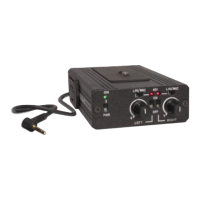
Power and Charging Status
Charging
Use the supplied Micro USB Cable connected to a USB power source to
charge the LiPo battery in the adapter.
The Adapter should be fully charged before use to ensure maximum run
times.
The Power LED indicates power status as follows:
Charging: Flashing RED
Charged: Solid GREEN
External Power
The MICRO USB Cable can also be used to power the adapter from an
external USB battery pack. It should not be powered by a USB AC
adapter as that will introduce noise into the audio.
Power Status
The Power LED indicates the number of hours of battery life after being
fully charged (no phantom).
Fully Charged Depleted
Good Low Critical
Notes
The rechargeable battery has a limited service life and should only be
replaced by the manufacturer. To prolong battery life, avoid deep
discharges and recharge when the Power LED turns yellow.
6


 To Next Page