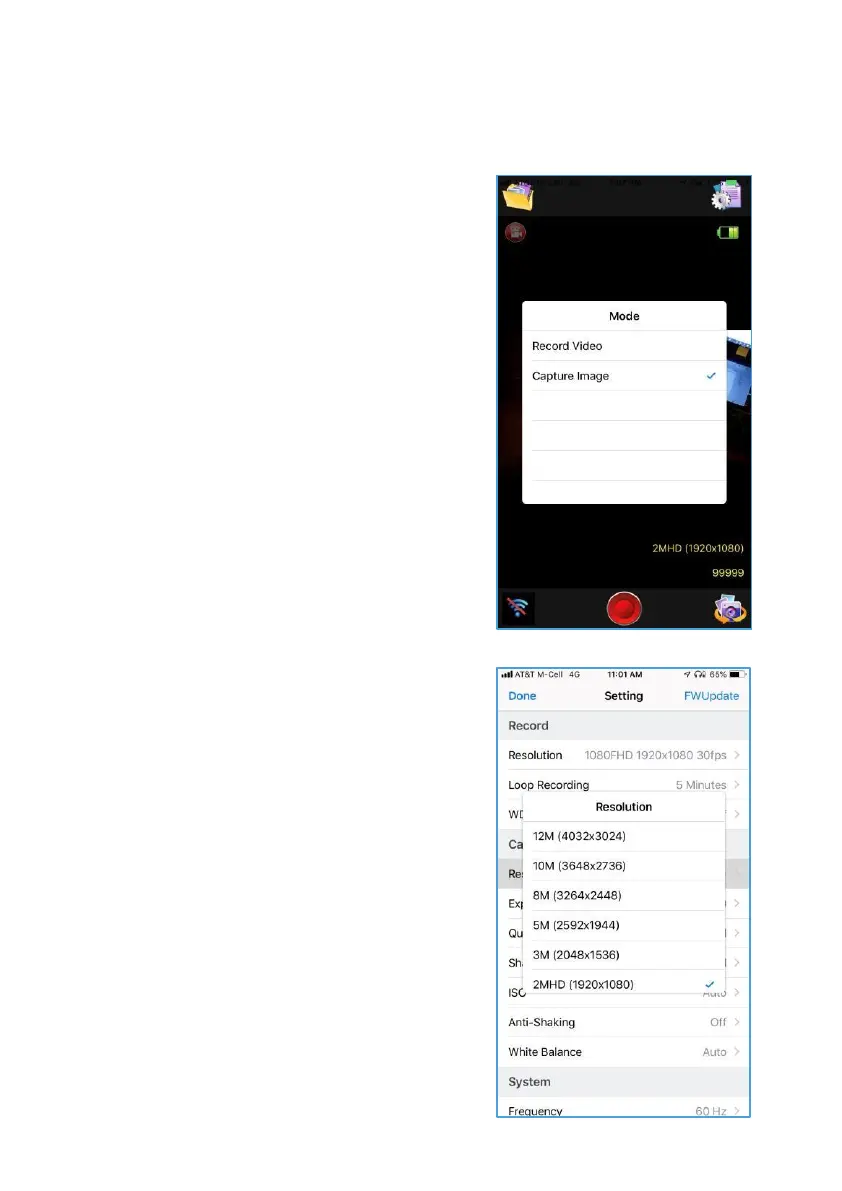
Taking & Streaming Pictures
Step 1
Open ControlScreen, select mode
Icon andselect Capture Image.
Step 2
You can adjust the following:
Resolution – Open Resolution
settingandMake your selection.
Note: the higher the resolution The
more space itwill take up on Your
datacard.
Exposure– Open andscroll to
desiredexposure.
Quality – Select desired Quality
Sharpness – Select desired setting.
ISO– Select desiredsetting.
Anti-Shaking – Turn On or Off.
WhiteBalance– Select based on
lightingcondition.
Step 3
Take the Image - Put HeadsUpon your
head orneck,Make sureit’s onandfully
connected, then frame your shot and
press Start button. Your image will
autosaveto your data card.
Take Image without phone – HeadsUp
can take the image without using the
phone.Image can be streamed from app
for viewing.



 To Next Page