9
•
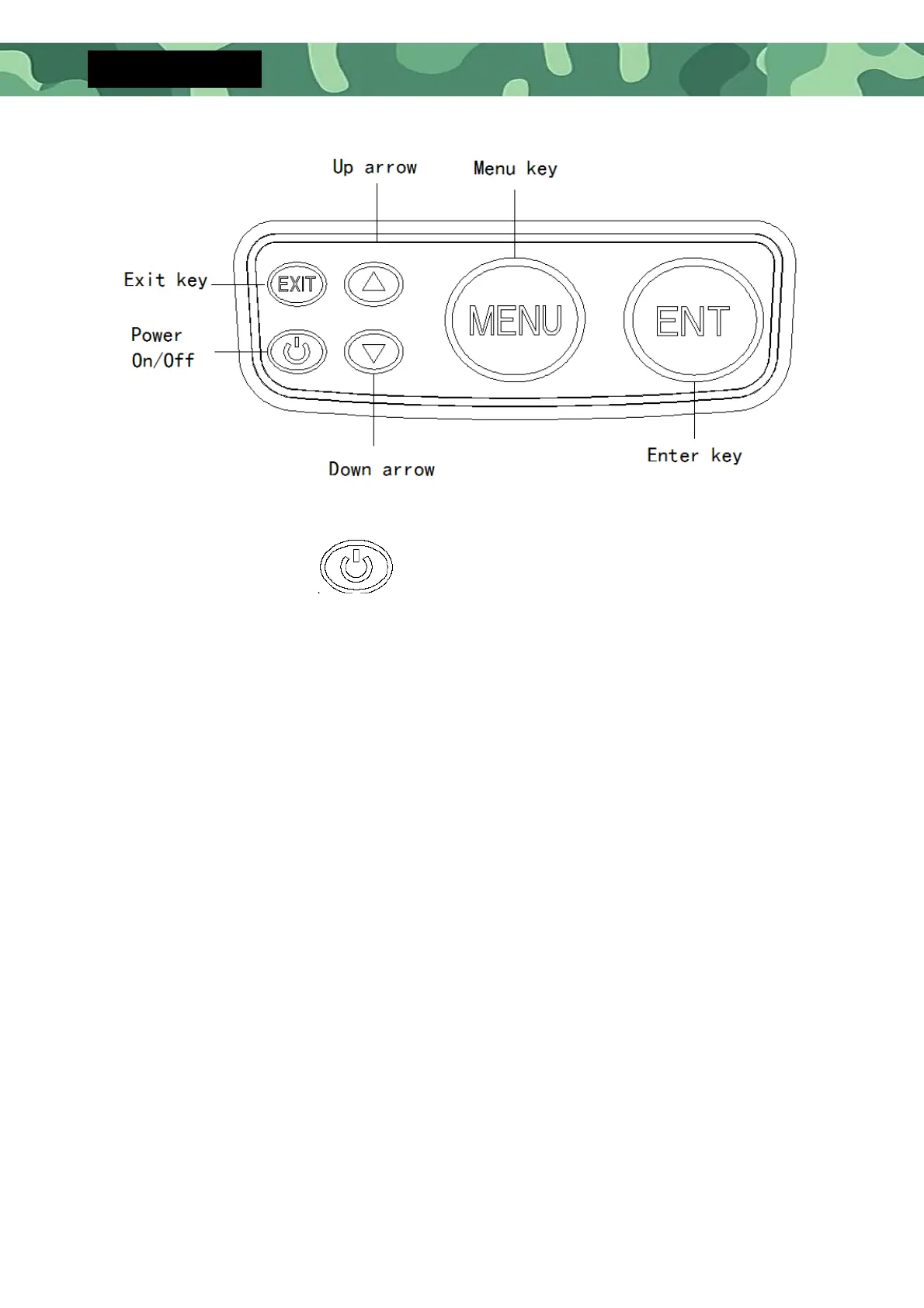
Starting up: In the off state, press and hold the Power On / Off key for 3
seconds and the screen will display “Loading”, then the system automatically
enters the mode and sets values which were set up before last normal
shutdown.
Shutdown: In the on state, press and hold the Power On / Off key for 3
seconds, the screen will display "Shutdown".
Stop Chart: When the unit is working, press the Power Key to stop the
screen chart on the screen, and press the key again to restore the screen
chart.
Save settings: Long press the Power on / off Key for 3 seconds to turn off the
device normally. The system will automatically save the data settings in your
current menu.
Warm tip: ***When the product is incorrectly installed or exceeds the
detection range, the depth value will display "0.0", and it will automatically
shutdown after 5 minutes.


 To Next Page