23
interference source and fix it, rather than continually using the unit on the high
setting
o
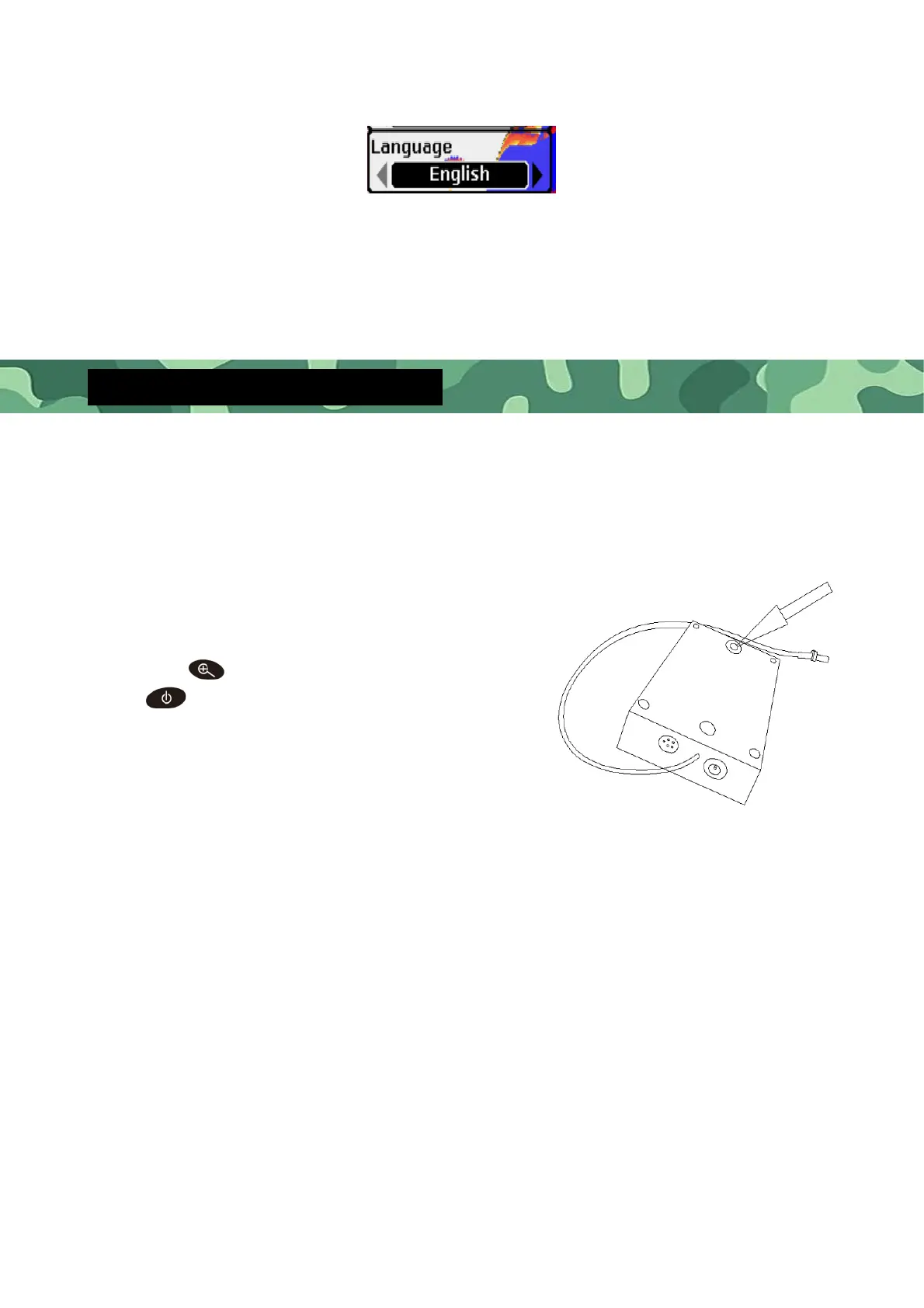
Language selects the display language for menus. There are the following
languages available: English, Russian, French, Japanese, Finnish, Polish, German,
Italian, Spanish, Dutch, Korean, Swedish, Greek, Danish.
Important Note (Reset Code)
In order to avoid the interference from the other wireless fish finder or the
receiver (main unit) doesn’t receive transmitter (transducer) signal, you can
reset the code between the receiver and transmitter yourself according to
steps below:
please make sure the receiver
must be powered off, press the Zoom
key
first, then press the power key
at the same time, and then the
display becomes black right away (Black
mesh in the middle area of the display),
after this you can continue doing the
following steps.
then check the transmitter, you will see a green button on
the transmitter (see the picture) keep pressing the green button, then
connect the power supply to the transmitter. After this, the receiver will
be powered off automatically.
In this condition, you can release your hand from the green button and
disconnect power supply from the transmitter. The product can be used
normally when you restart the machine after doing these steps above. If
the display of the receiver still stays black (Black mesh in the middle area
of the display), it means the reset of the code failed, then you need to
redo it once again according to the steps above. The channel number
will increase one by one after you succeeded to reset code each time.


 To Previous Page