14
•
The Menu Key is used to access the menu system.
When you press the Menu Key once, the menu system immediately appears
on the display.
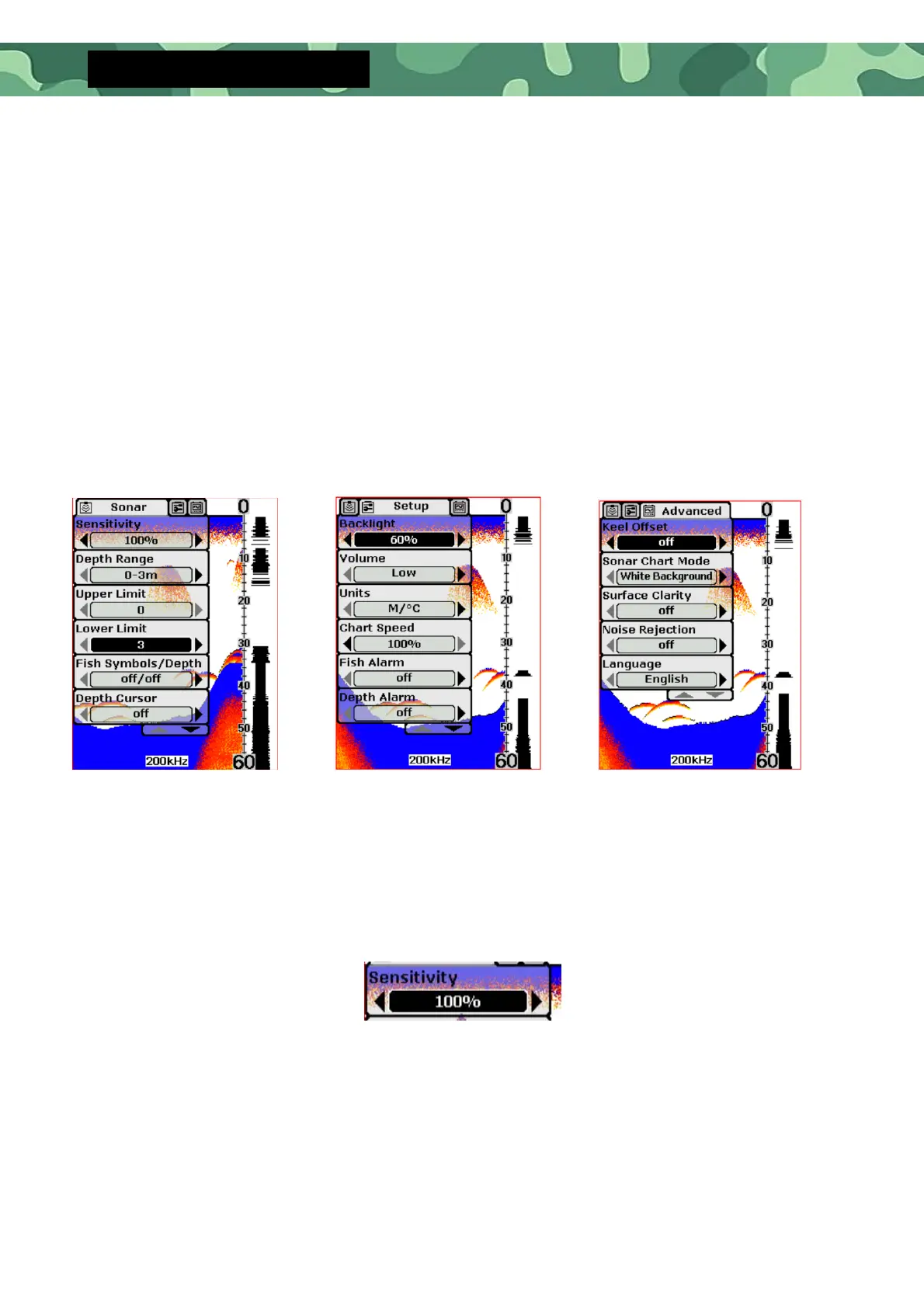
The menu system has 3 tabs:
“Sonar”, “Setup” and “Advance”. You can press the Menu Key to switch
between different menu tabs.
In each menu tab use the lower or Upper Key to select a specific menu item,
and use the Left or Right Key to change a menu setting, then press the Esc
Key to return to the top to close menu system.
•
Sonar Menu Components Settings
o
Settings: “Auto”, “1%” to “100%”
Sensitivity controls the unit´s ability to pick up echoes. If you want to see
more details, try increasing the sensitivity, a little at a time.
Setup menu
Advanced menu


 To Next Page