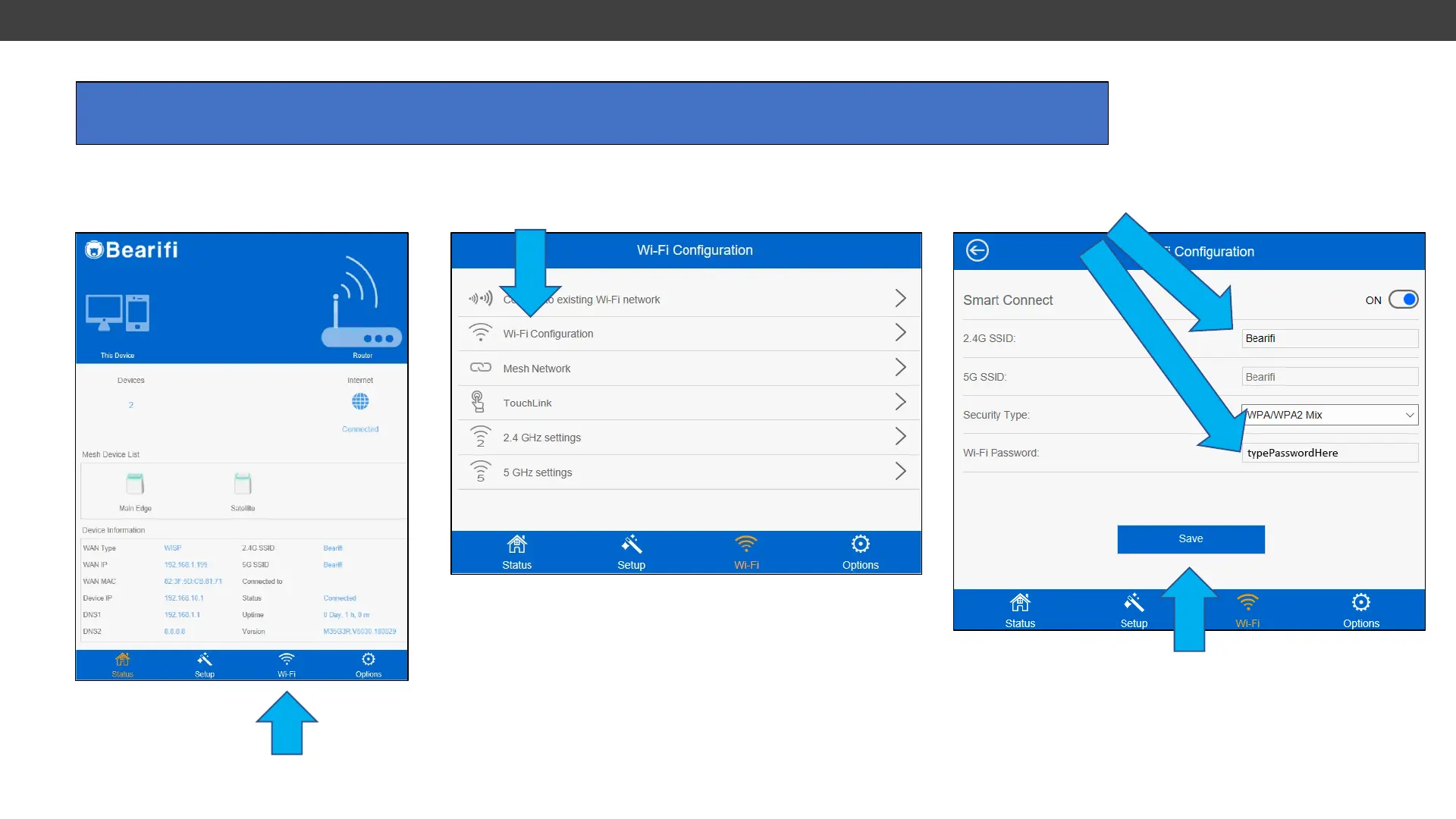
Connect your PC or device to the ‘Bearifi’ Wi-Fi signal and log in at the 192.168.10.1 IP address to access
the Bearifi Edge administrator area.
1. Click the WiFi menu
2. Click Wi-Fi configuration
3. Change WiFi signal name in 2.4G SSID box, and/or
change password in Wi-Fi Password box.
4. Click save.
Then Allow router to reboot,
Then reconnect your device to the
“Bearifi” Wi-Fi signal, or the new name.
1. Changing WiFi Name and/or Password



 To Next Page