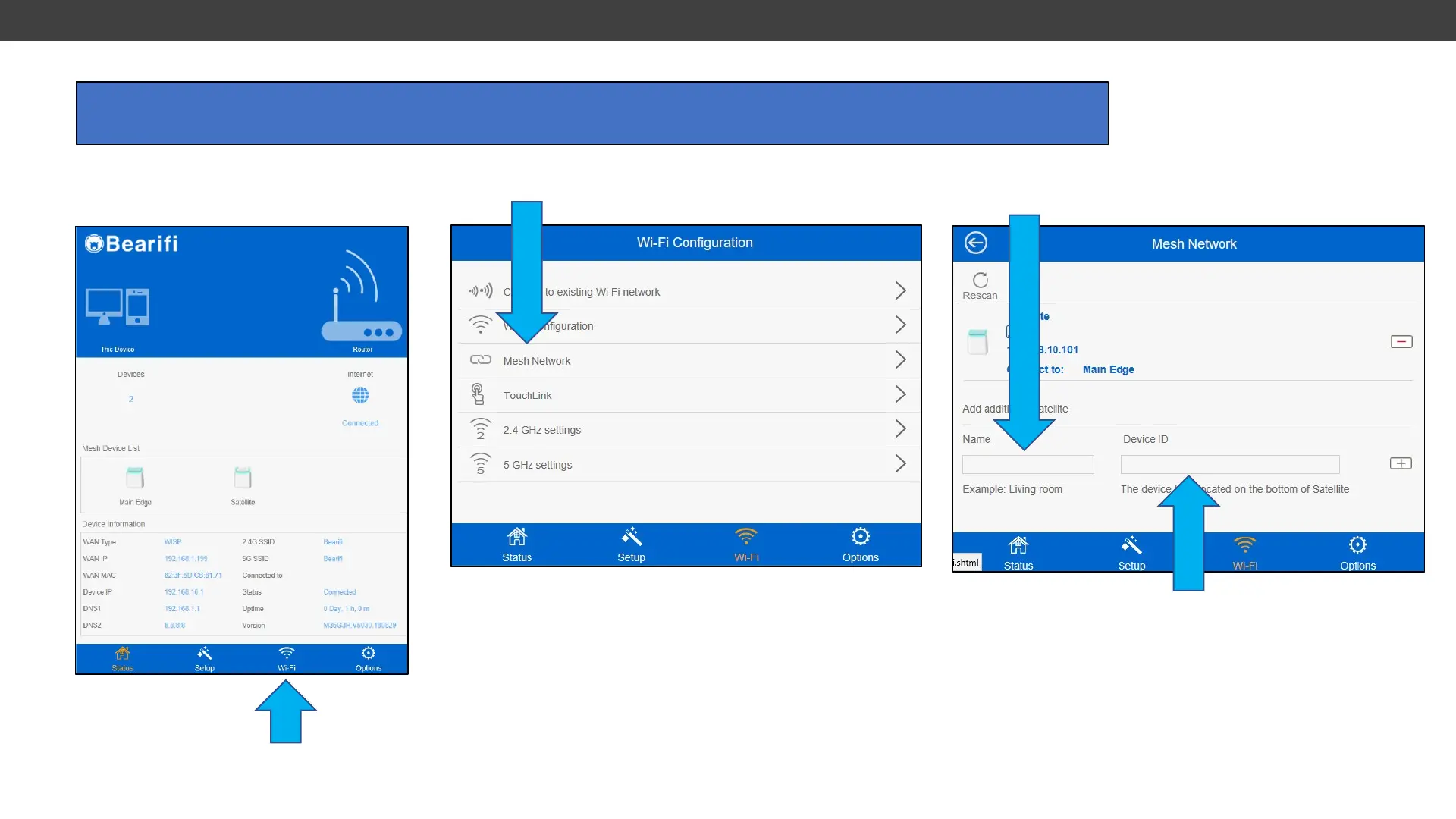
Power on the Satellite within range of your Bearifi Edge Mesh AP. Connect your PC or device to the ‘Bearifi’
Wi-Fi signal and log in at the 192.168.10.1 IP address to access the Bearifi Edge administrator area.
1. Click the Wi-Fi menu
2. Click Wi-Fi Mesh Network
3. In “Name” box, give the Satellite a name, such as
“Living Room”.
4. In Device ID field, enter the 5G MAC number
printed on the bottom of the new Satellite. Enter a :
between every two numbers.
Enter 80ABDCDFFC2F as
80:AB:DC:DF:FC:2F
Click Save. Allow router to reboot. If the Satellite LED
does not turn blue within 60 seconds, restart Satellite.
4. Adding a Satellite



 To Next Page