Device Configuration
Interface Setup – Wireless 2.4GHz & 5GHz
BEC 6500 Series User Manual
manual, you can select 802.11g if you have only 11g card. If you have only 11b card, then select
802.11b and if you only have 802.11n then select 802.11n.
Channel: The range of radio frequencies used by IEEE 802.11b/g/n wireless devices is called a
channel. There are Regulation Domains and Channel ID in this field. The Channel ID will be different
based on Regulation Domains. Select a channel from the drop-down list box.
Beacon Interval: The Beacon Interval value indicates the frequency interval of the beacon. Enter a
value between 20 and 1000. A beacon is a packet broadcast by the Router to synchronize the wireless
network.
RTS/CTS Threshold: The RTS (Request to Send) threshold (number of bytes) for enabling RTS/CTS
handshake. Data with its frame size larger than this value will perform the RTS/CTS handshake. Enter
a value between 1500 and 2347.
Fragmentation Threshold: The threshold (number of bytes) for the fragmentation boundary for
directed messages. It is the maximum data fragment size that can be sent. Enter a value between 256
and 2346, even number only.
DTIM Interval: This value, between 1 and 255, indicates the interval of the Delivery Traffic Indication
Message (DTIM).
TX Power: The transmission power of the antennas, ranging from 1-100, the higher the more powerful
of the transmission performance.
IGMP Snooping: Enable or disable the IGMP Snooping function for wireless. Without IGMP snooping,
multicast traffic is treated in the same manner as broadcast traffic - that is, it is forwarded to all ports.
With IGMP snooping, multicast traffic of a group is only forwarded to ports that have members of that
group.”
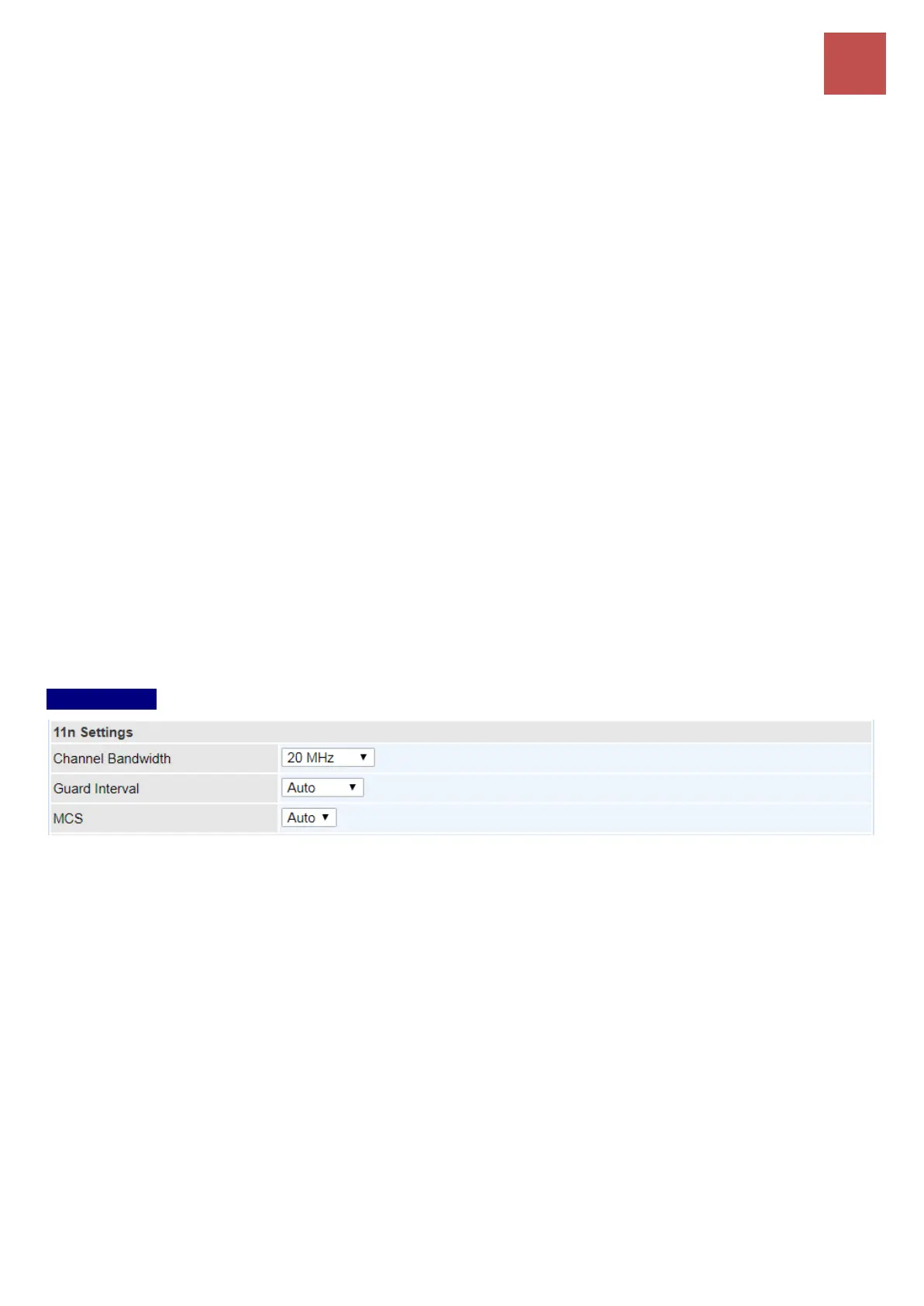
11n Settings
Channel Bandwidth: Select either 20 MHz, 40 MHz or 20/40 MHz for the channel bandwidth. The
wider the Channel bandwidth the better the performance will be.
Extension Channel: This is for the 20/40MHz clients to use and is predefined to Auto by default.
Guard Interval: Select Auto or 800nsec for the guard interval. The guard interval is here to ensure
that data transmission do not interfere with each other. It also prevents propagation delays, echoing
and reflections. The shorter the Guard Interval, the better the performance will be. Auto is
recommended.
MCS (Modulation and Coding Scheme): There are options 0~7 and Auto to select from. Auto is
recommended.


 To Next Page