38
Assembly and Operating Instructions
TESTmode
Press and hold the OK button for approx. 5 seconds to activate the TEST mode.
The TEST mode is used to check whether the sensory equipment is functioning
properly. When the TEST mode is active, the word TEST appears on the display.
In the TEST mode the pre-set delay times are shortened
Languageselection(ENGLISHGB)
Your national language can be selected via this menu option.
SUMMER/WINTER
SUMMER/WINTER refers to the automatic clock adjustment for daylight sav-
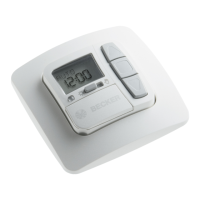
ing changes. The factory setting is ON; the SWC52 device adjusts the clock
automatically.
Functionmenu
This mode is intended for qualied staff only. (Only displayed when the operat-
ing device has been removed.)
In the FUNCTION menu the following functions can be set:
- AWNING/VENETIAN BLINDS (select curtain/canopy)
- DRIVE/GROUP CONTROLLER
- OPERATING TIME
- EXTERNAL SWITCH/ON/OFF
- ALARM SIGNAL ON/OFF
- SWITCHING TIME/BLOCKING TIME
- EXPERT MODE OFF/ON
- INITIAL OPERATION (for servicing purposes)
- RELAY (for servicing purposes)
- TOTAL RUNNING TIME (for servicing purposes)
DRIVECONTROLLER
The drive is directly connected to the SWC52 device.
GROUPCONTROLLER
The SWC52 device operates a chosen group.
EXTERNALOFF/EXTERNALON/EXTERNALSWITCH
EXTERNAL OFF Group inputs are always switched off.
EXTERNAL ON Group inputs are always switched on.
EXTERNAL SWITCH In AUTO mode the group inputs are switched on; In
MANUAL mode the group inputs are switched off.
EXPERTMODE
In order to modify delay times in the SETTINGS menu the EXPERT MODE must
be ON.


 To Next Page