fr
en
de
nl
39
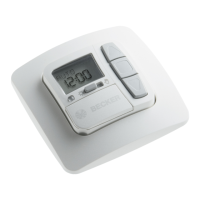
To activate the SWC52 control device, touch any button on the device. To select
the language required use the +/- buttons and conrm your selection with the
OK button. The SWC52 is now in automatic operating mode.
Initialoperation
Factorysettings
TIME/DATE: current CET and current date
SETTING: threshold value SUN t 04 and SUN s 03
DELAY t 3 min (EXPERT MODE)
DELAY s 15 min (EXPERT MODE)
END LIMIT
SUMMER/WINTER ON
FUNCTION: AWNING, DRIVE CONTROLLER, EXTERNAL SWITCH,
ALARM SIGNAL ON, EXPERT MODE OFF
Note
PresstheRESETbutton(withaballpointpenorsimilarobject)tore-
storethefactorysettingsintheSWC52device.
Exception:Functionandlanguageselectionmenu.


 To Next Page