PROGRAM
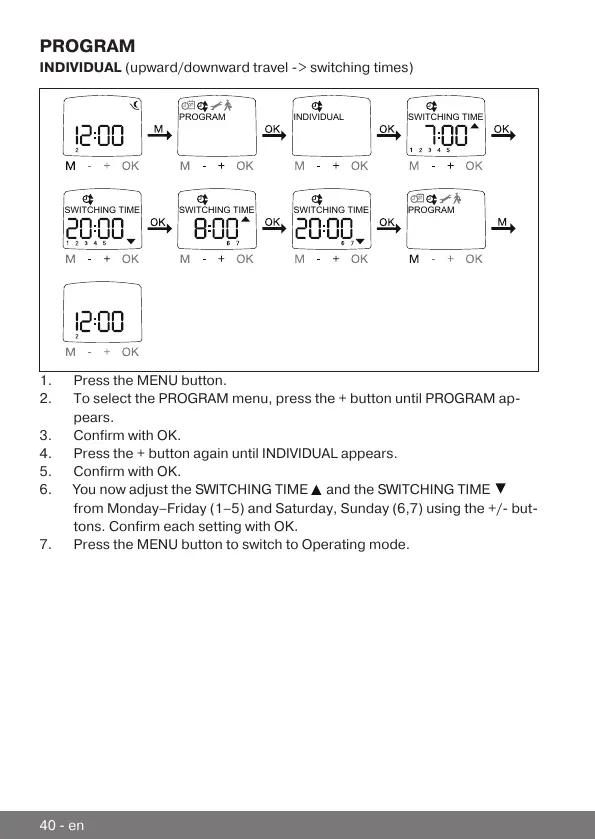
INDIVIDUAL (upward/downward travel -> switching times)
PROGRAM INDIVIDUAL SWITCHING TIME
SWITCHING TIME SWITCHING TIME SWITCHING TIME PROGRAM
1.Press the MENU button.
2.To select the PROGRAM menu, press the + button until PROGRAM ap-
pears.
3.Confirm with OK.
4.Press the + button again until INDIVIDUAL appears.
5.Confirm with OK.
6.You now adjust the SWITCHING TIME
and the SWITCHING TIME
from Monday–Friday (1–5) and Saturday, Sunday (6,7) using the +/- but-
tons. Confirm each setting with OK.
7.Press the MENU button to switch to Operating mode.
40-en



 To Next Page