SETTING
INTERMEDIATE POSITION, VENTILATION/TILT, END POSITION (time/po-
sition programming)
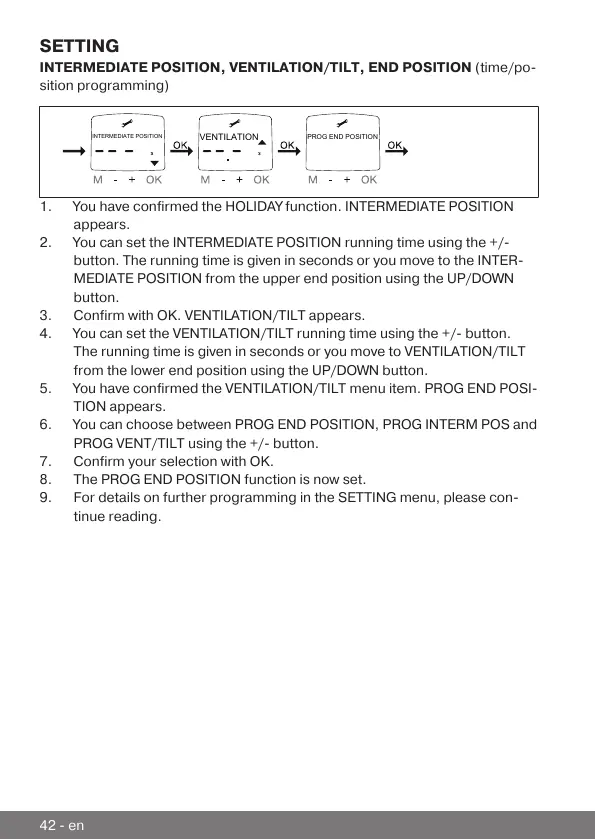
VENTILATION
PROG END POSITION
INTERMEDIATE POSITION
1.You have confirmed the HOLIDAY function. INTERMEDIATE POSITION
appears.
2.You can set the INTERMEDIATE POSITION running time using the +/-
button. The running time is given in seconds or you move to the INTER-
MEDIATE POSITION from the upper end position using the UP/DOWN
button.
3.Confirm with OK. VENTILATION/TILT appears.
4.You can set the VENTILATION/TILT running time using the +/- button.
The running time is given in seconds or you move to VENTILATION/TILT
from the lower end position using the UP/DOWN button.
5.You have confirmed the VENTILATION/TILT menu item. PROG END POSI-
TION appears.
6.You can choose between PROG END POSITION, PROG INTERM POS and
PROG VENT/TILT using the +/- button.
7.Confirm your selection with OK.
8.The PROG END POSITION function is now set.
9.For details on further programming in the SETTING menu, please con-
tinue reading.
42-en



 To Next Page