36
function, you can raise the shutter from the lower end limit until the ventilation
slits are open. The slats of the venetian blind will be turned.
Press the UPbutton twicein rapid succession to move to the ventilation/revers-
ing pos ition.
Language(ENGLISHGB)
Your national language can be selected via this menu option.
ASTROSHIFT
The astro time scan be shifted (max. +/- 120 mins.) using the astro shift set-
ting.
City(LONDONwhen the language is set toENGLISHGB)
It is important to select a city for the astro function. Select the city nearest to
where you are located.
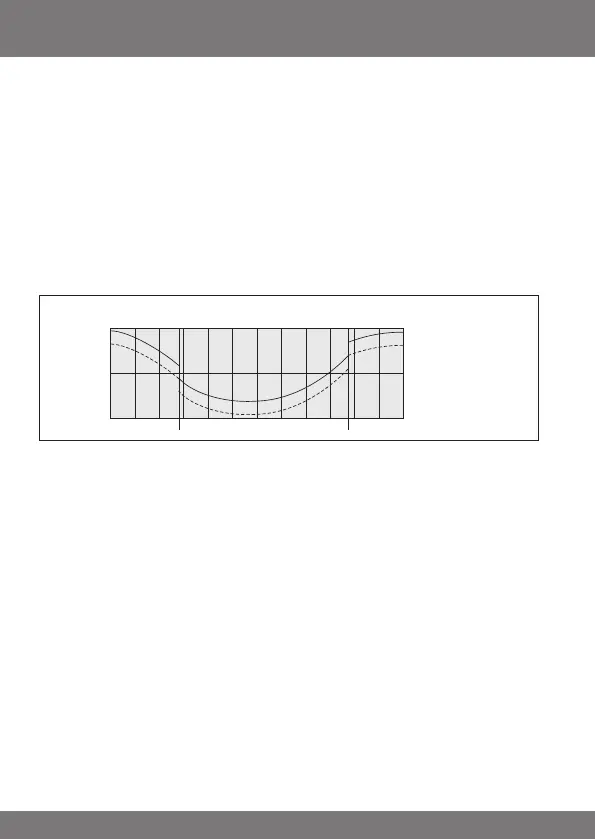
closing 1 hour
before sundown
astro shift of - 1hr
, e.g.
sunset
astro shift
15:00 hrs
18:30 hrs
22:00 hrs
winter time
summer time
winter time
Jan. Feb.
Mar.
Apr. May Jun. Jul. Aug. Sep. Oct. Nov. Dec.
LONGITUDE/LATITUDE/TIMEZONE(onlywhenEXPERTMODEisON)
You can nd out your coordinates, for example, with the aid of an atlas.
SUMMER/WINTER
SUMMER/WINTER describes the automatic clock adjustment for daylight sav-
ing changes. If the default setting is ON, the time switch adjusts itself automati-
cally.
MenuFUNCTION
Thismodeistobeusedbyexpertsonly!
The following functions can be selected in the FUNCTION menu:
• ROLLER SHUTTER/BLIND (Select shutter/blind)
• EXPERT MODE
• INITIAL OPERATION (display only)
EXPERTMODE
If selecting the city (EXPERT MODE OFF) is not precise enough, you can make a
ne adjustment by setting the degrees of longitude and latitude (EXPERT MODE
ON).



 To Next Page