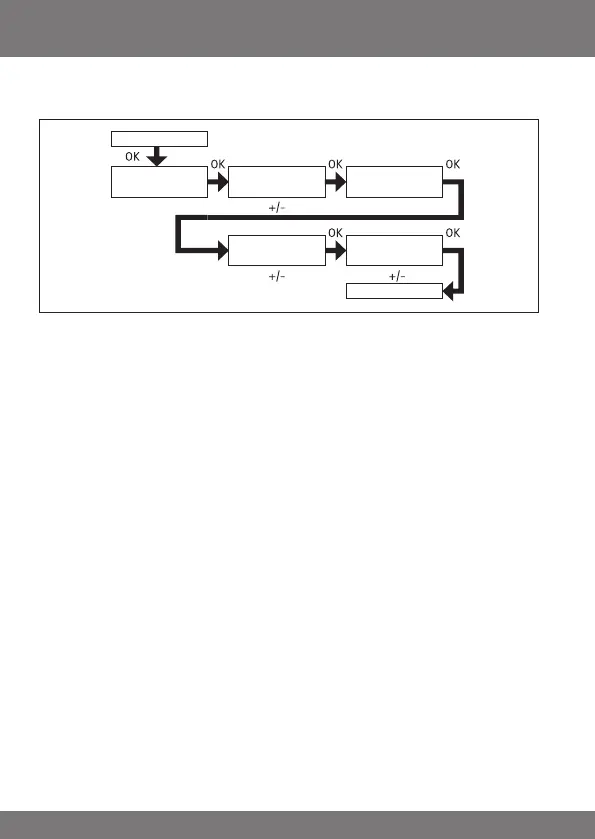
PROGRAMME
ASTROEVENING (UP -> switching time, DOWN -> sunset)
1. Press the MENUbutton.
2. To select the PROGAMME menu, press the +button until PROGAMME ap-
pears.
3. Press OKto conrm.
4. Press the +button again until ASTRO EVENING appears.
5. Press OKto conrm.
6. Now set the SWITCHING TIME s for Monday - Friday (1-5) using the +/-
buttons. Conrm every selection by pressing OK.
7. Now set the BLOCKING TIME t for Monday - Friday (1-5) using the +/-
buttons. Conrm every selection by pressing OK.
8. Now set the SWITCHING TIME sfor Saturday and Sunday (6,7) using the
+/-buttons. Conrm every selection by pressing OK.
9. Now set the BLOCKING TIME t for Saturday and Sunday (6,7) using the
+/-buttons.
Conrm every selection by pressing OK. PROGRAMME appears.
10. Press the MENUbutton to switch to operating mode.
SWITCHING
TIME
PROGRAMME
BLOCKING
TIME
PROGRAMME
BLOCKING
TIME
ASTRO
EVENING
SWITCHING
TIME



 To Next Page