fr
en
de
nl
PROGRAMME
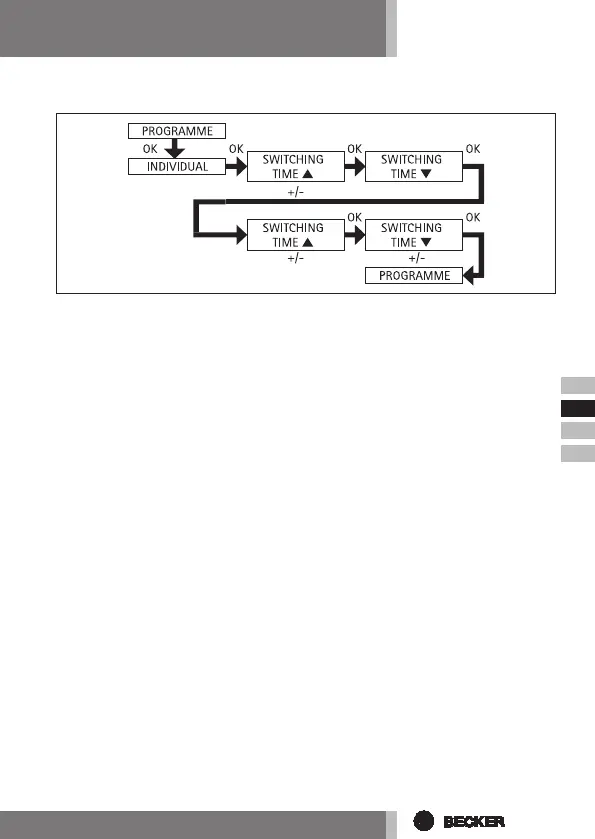
SEPARATE (UP/DOWN command -> switching times)
1. Press the MENUbutton.
2. To select the PROGAMME menu, press the +button until PROGAMME ap-
pears.
3. Press OKto conrm.
4. Press the +button again until SEPARATE appears.
5. Press OKto conrm.
6. Now set the SWITCHING TIME s and the SWITCHING TIME t for Monday - Friday
(1-5) and Saturday and Sunday (6,7) using the +/-buttons.
Conrm every selection by pressing OK.
7. Press the MENUbutton to switch to operating mode.



 To Next Page