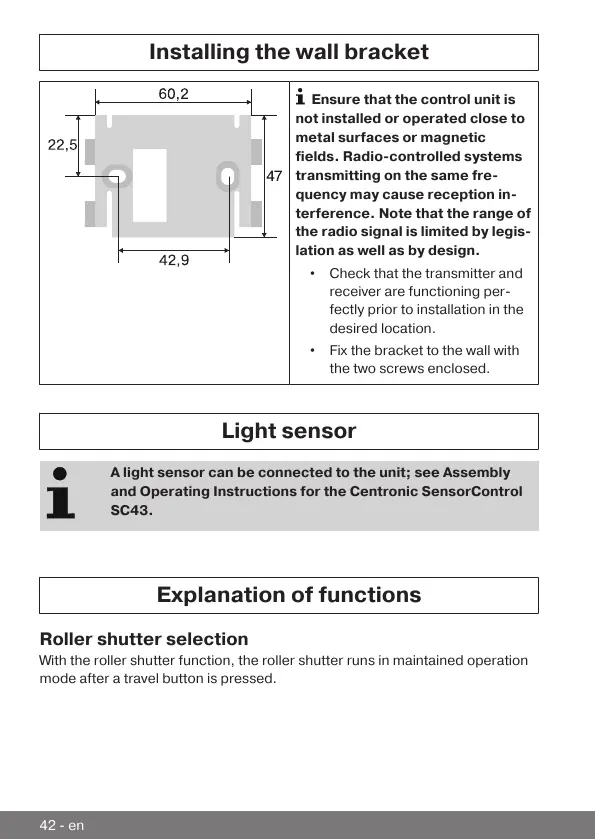
Installing the wall bracket
Ensure that the control unit is
not installed or operated close to
metal surfaces or magnetic
fields. Radio-controlled systems
transmitting on the same fre-
quency may cause reception in-
terference. Note that the range of
the radio signal is limited by legis-
lation as well as by design.
• Check that the transmitter and
receiver are functioning per-
fectly prior to installation in the
desired location.
• Fix the bracket to the wall with
the two screws enclosed.
Light sensor
A light sensor can be connected to the unit; see Assembly
and Operating Instructions for the Centronic SensorControl
SC43.
Explanation of functions
Roller shutter selection
With the roller shutter function, the roller shutter runs in maintained operation
mode after a travel button is pressed.
42-en



 To Next Page