Programming
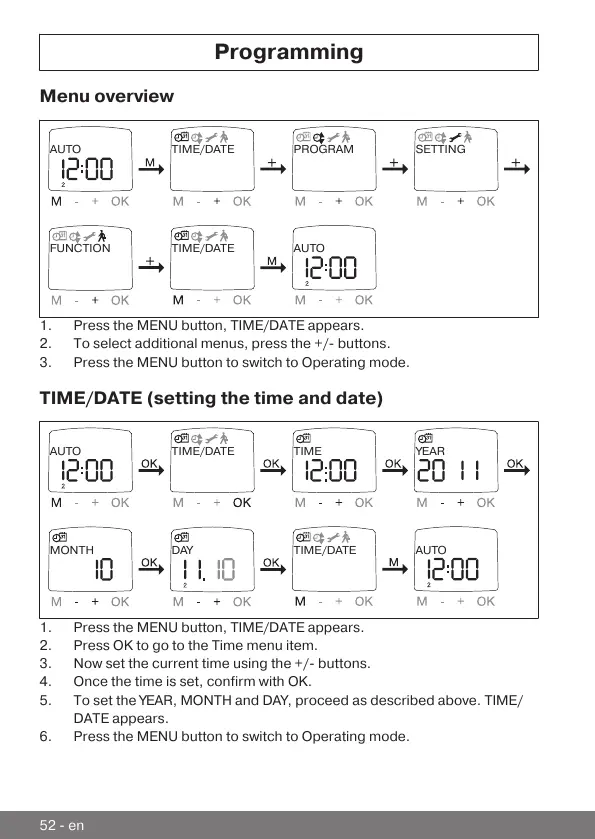
Menu overview
TIME/DATE PROGRAM SETTINGAUTO
FUNCTION TIME/DATE
AUTO
1.Press the MENU button, TIME/DATE appears.
2.To select additional menus, press the +/- buttons.
3.Press the MENU button to switch to Operating mode.
TIME/DATE (setting the time and date)
TIME/DATE TIME YEARAUTO
MONTH DAY TIME/DATE
AUTO
1.Press the MENU button, TIME/DATE appears.
2.Press OK to go to the Time menu item.
3.Now set the current time using the +/- buttons.
4.Once the time is set, confirm with OK.
5.To set the YEAR, MONTH and DAY, proceed as described above. TIME/
DATE appears.
6.Press the MENU button to switch to Operating mode.
52-en



 To Next Page