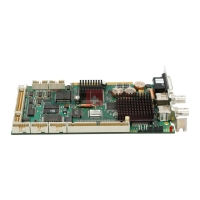
Technical Data CP9035
Jumper Assignments
J300
If this jumper is set then it is possible for the Control Panel's keyboard to be
disabled by software.
J100
Is set if a PS/2 mouse is connected. The Control Panel must be designed
for this
J272
Must be withdrawn for a 10" Control Panel
J271
Must be withdrawn if the Control Panel is fitted with a floppy drive.
J270
Must be withdrawn if the Control Panel is fitted with a floppy drive.
J501
If jumper J501 and jumper J300 are set then it is possible software to
disable the Control Panel's keyboard and its touchscreen.
J270, J271 and J272 are normally set. Do not change any of the factory
settings without first contacting our Technical Support.
Current consumption
The CP9035 card is powered exclusively through the ST401 power supply
connector. It cannot be powered via the PCI bus - this could damage the
motherboard.
Current consumption 5V: approx. 1.0 A
Current consumption 12V: approx. 1.5 A
34 CP9030 / CP9035


 To Next Page