Beckhoff CP-Link System Description
Multi CP-Link
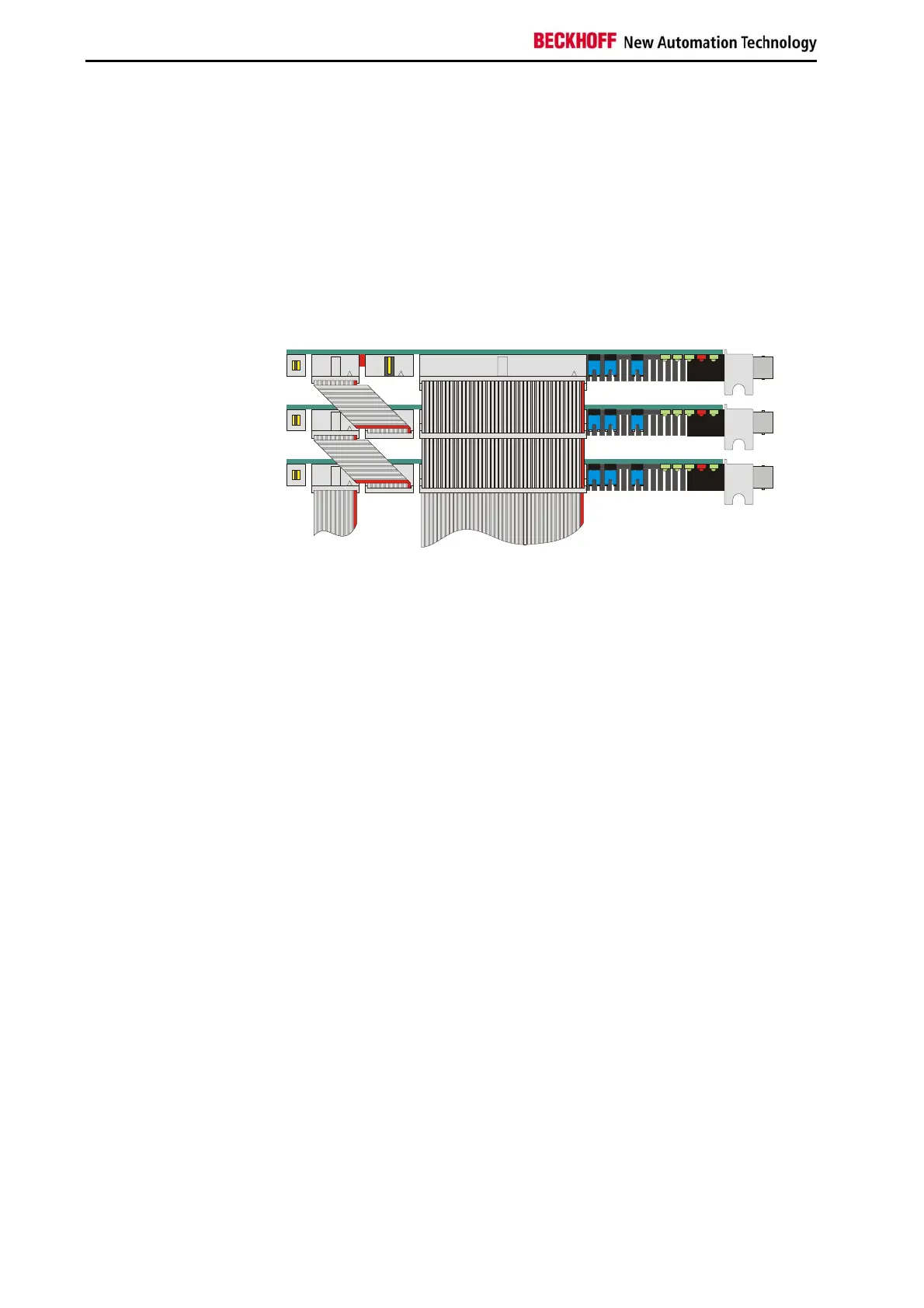
Up to three Control Panels
Up to three Control Panels can be connected to one PC. Each Control
Panel can be installed at a distance of up to 100 m from the PC, which
ensures maximum flexibility in locating the Control Panel on the equipment.
For each Control Panel, one CP-Link insert card is installed in the PC.
If a number of pointing devices or interfaces (touchpad, touchscreen,
RS232) are used with the Control Panel it is necessary for the PC to have a
corresponding number of interfaces.
Assembly and connections
in the PC
ext. keyboard
to
ra
hic card
CP- L I N K 0 1
CP- L I N K 0
CP- L I N K 0
All displays show the same image. This requires all the displays to have the
same format.
Data can be entered on the PC keyboard, on the keyboard of one of the
Control Panels or on a standard keypad connected to one of the Control
Panels or directly to the PC.
8 CP9030 / CP9035


 To Next Page