EasyManua.ls Logo

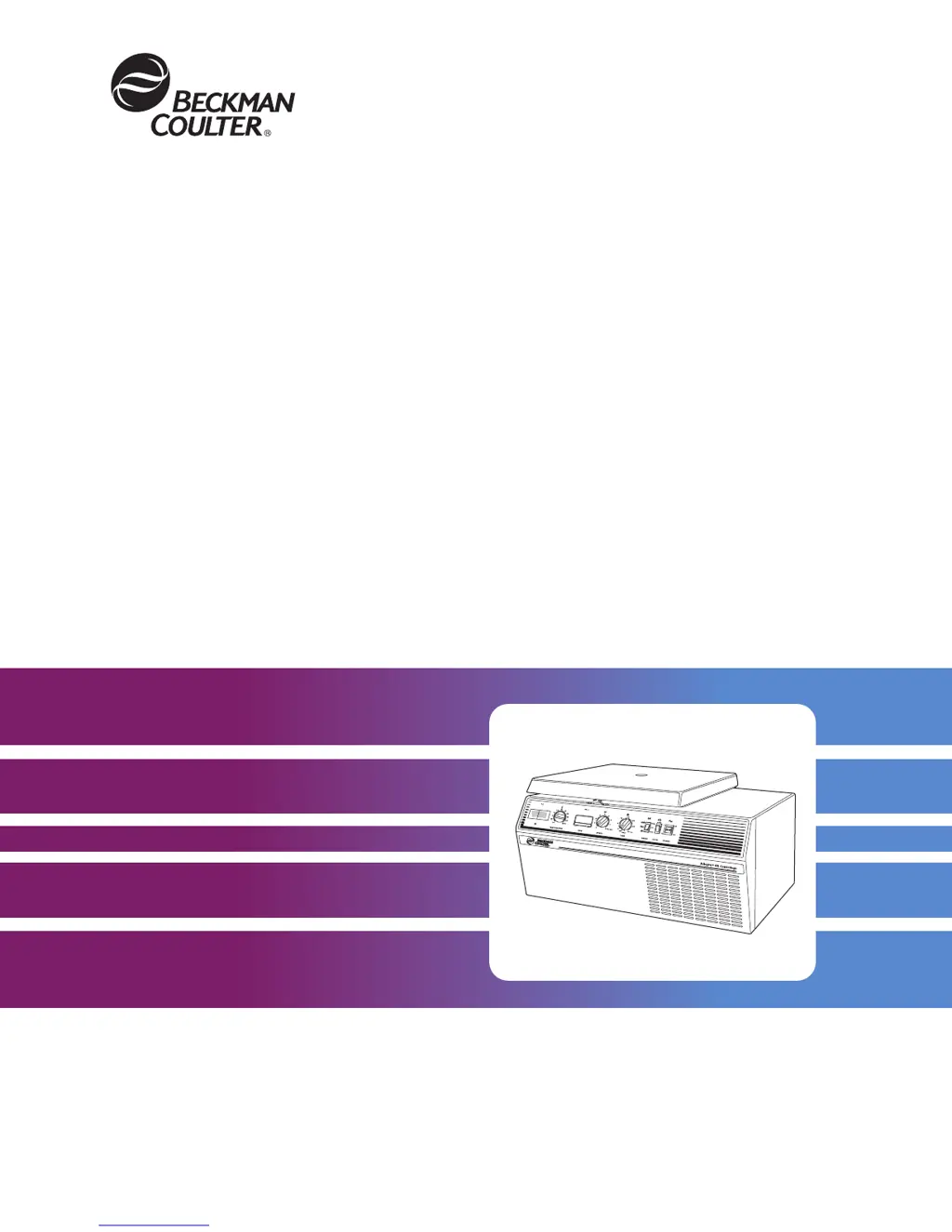
Beckman Coulter Spinchron R - User Manual

Beckman Coulter Spinchron R
52 pages
Print Icon
To Next Page IconTo Next Page
Loading...
BE-IM-9
Allegra
®
6 Series
and Spinchron
R Centrifuges
Instruction Manual

Questions and Answers

  • M
    Melissa AnthonyAug 15, 2025
    What to do if Beckman Coulter Laboratory Equipment rotor cannot achieve set speed?
    • Q
      qsanchezAug 15, 2025
      If the rotor speed of your Beckman Coulter Laboratory Equipment cannot reach the set speed, there are several potential causes and solutions: * **Low line voltage:** Measure the line voltage while the centrifuge is operating. * **Imbalance detector tripped:** Turn the POWER switch to OFF (O), wait 30 seconds, and then turn it back ON (I). * **Thermal protector tripped:** Turn the POWER switch to OFF (O), wait 60 seconds, and then turn it back ON (I). * **Electrical failure:** Check the connections. If the issue persists, further assistance is needed. * **Worn motor components or motor failure:** If the motor bearings, commutator are worn, or the motor has failed, further assistance is needed.
  • C
    Christian MitchellAug 22, 2025
    What to do if Beckman Coulter Spinchron R door will not open?
    • C
      Christine BullockAug 22, 2025
      If the door of your Beckman Coulter Laboratory Equipment will not open, check the following: * **Power:** Ensure the power cord is plugged in and the POWER switch is set to ON (I). * **Rotor Speed:** Wait until the rotor completely stops spinning (below 40 rpm). * **Secondary Latch:** Verify that the secondary latch lever is in the UNLOCK position. * **Latch Stuck:** If the latch is stuck, follow the emergency access procedure.
  • J
    James FritzAug 26, 2025
    What to do if Beckman Coulter Laboratory Equipment thermal cutoff switch activated?
    • S
      ssantiagoAug 26, 2025
      If the thermal cutoff switch has been activated on your Beckman Coulter Laboratory Equipment, follow these steps: 1. Turn the TIME knob to OFF and press the POWER switch to OFF (O). 2. Verify that the ambient temperature is within the specified limits. 3. Inspect the air inlet for obstructions and check the air-inlet filters for dirt. Clean as necessary. 4. Allow the motor to cool down (approximately 15 minutes with the door open). Then, press the POWER switch to ON (I) to reset the thermal protector circuit. If the problem continues, further assistance is needed.
  • N
    Noah WilsonAug 28, 2025
    How to fix chamber icing in Beckman Coulter Spinchron R Laboratory Equipment?
    • B
      Brittany PerryAug 28, 2025
      To address chamber icing in your Beckman Coulter Laboratory Equipment, especially in refrigerated models: * **Excess Humidity:** Wipe out any moisture from the chamber before each run. * **Condensation Buildup:** Prevent condensation between runs by: * Leaving the door open. * Setting the TEMPERATURE knob higher than the ambient temperature. * Turning the centrifuge power off.
  • H
    Heather FosterSep 1, 2025
    What to do if Beckman Coulter Spinchron R Laboratory Equipment set temperature cannot be achieved?
    • S
      Sarah RuizSep 1, 2025
      If the set temperature cannot be reached in your refrigerated Beckman Coulter Laboratory Equipment, consider the following: * **Ambient Temperature:** Reduce the ambient temperature. * **Run Duration:** Precool the rotor and extend the run time. * **Temperature Knob:** Adjust the temperature knob. * **Dirty Filter:** Clean the filter. * **Rotor Temperature:** Precool the rotor. * **Excess Moisture:** Wipe out any moisture in the chamber before each run. * **Gasket Issues or Refrigeration Problems:** Further assistance is needed.
  • B
    Brandon PhamSep 4, 2025
    What to do if Beckman Coulter Laboratory Equipment chamber over-temperature?
    • D
      Dennis RiversSep 4, 2025
      If your refrigerated Beckman Coulter Laboratory Equipment chamber is over-temperature, take these steps: 1. Turn the TIME knob to OFF and press the POWER switch to OFF (O). 2. Ensure the ambient temperature is within the specified limits. 3. Check for any obstructions in the air inlet and clean the air-inlet filter if it's dirty. 4. Check the chamber temperature; if it remains over the expected temperature, further assistance is needed.
  • S
    Shane NelsonSep 8, 2025
    What to do if Beckman Coulter Spinchron R Laboratory Equipment temperature cannot be maintained?
    • D
      daniel19Sep 8, 2025
      If the temperature cannot be maintained in your refrigerated Beckman Coulter Laboratory Equipment, check these factors: * **Ambient Temperature:** Reduce the ambient temperature. * **Rotor Speed:** Reduce the rotor speed if it's higher than the rated speed. * **Dirty Filter:** Clean the filter. * **Refrigeration or Electronic Problem:** Further assistance is needed.
  • M
    myersrachelSep 12, 2025
    Why Beckman Coulter Spinchron R Laboratory Equipment rotor speed display is blank?
    • J
      John WeaverSep 12, 2025
      If the rotor speed display on your Beckman Coulter Laboratory Equipment is blank, check the following: * **Power:** Ensure the power cord is plugged in and the POWER switch is set to ON (I). * **Fuse:** Further assistance is needed.
  • D
    delgadobruceNov 18, 2025
    What to do if Beckman Coulter Spinchron R imbalance detector tripped?
    • F
      floydemmaNov 18, 2025
      If the imbalance detector on your Beckman Coulter Laboratory Equipment has tripped, follow these steps: 1. Turn the TIME knob to OFF and press the POWER switch to OFF (O). 2. Ensure the rotor is in good condition and loaded symmetrically, with containers of equal weight and density opposite each other. If using a swinging bucket rotor, fill all yoke positions with buckets and/or carriers. Always run the rotor with a balanced load. 3. Make sure the rubber boot is undamaged and correctly seated over the dust cover. 4. After a 30-second delay, press the POWER switch to ON (I) to reset the imbalance detector circuit. You should then be able to restart the run normally. Note: Performing rotor installation or loading with the power off can prevent this issue. If the imbalance switch trips,...

Summary

Section 1: Description

Safety Features

Highlights the built-in safety mechanisms of the centrifuge.

Section 2: Installation Requirements

Space and Location Requirements

Guidelines for choosing a suitable installation site and clearances.

Electrical Requirements

Specifies voltage, current, and connection requirements for power.

Section 3: Operation

Preparation and Loading

Steps for preparing the centrifuge and loading samples.

Starting a Run

Detailed instructions for setting parameters and starting a run.

Stopping a Run

Procedures for safely stopping the centrifuge and ending a run.

Section 4: Troubleshooting

Shutdown;No-Start Diagnostics

Identifies common shutdown codes and their causes.

Section 5: Care and Maintenance

Beckman Coulter Spinchron R Specifications

General IconGeneral
BrandBeckman Coulter
ModelSpinchron R
CategoryLaboratory Equipment
LanguageEnglish

Related product manuals