EasyManua.ls Logo

BEEHIVE SUPER BEE - Page 33

Default Icon
56 pages
Print Icon
To Next Page IconTo Next Page
To Previous Page IconTo Previous Page
Loading...
KEY
OR
CONTROL
DEL
CHAR
(Delete Character)
(cont.)
INS LINE
(Insert
Line)
DEL
LINE
(Delete Line)
HOME
TAB
SET
TAB CLEAR
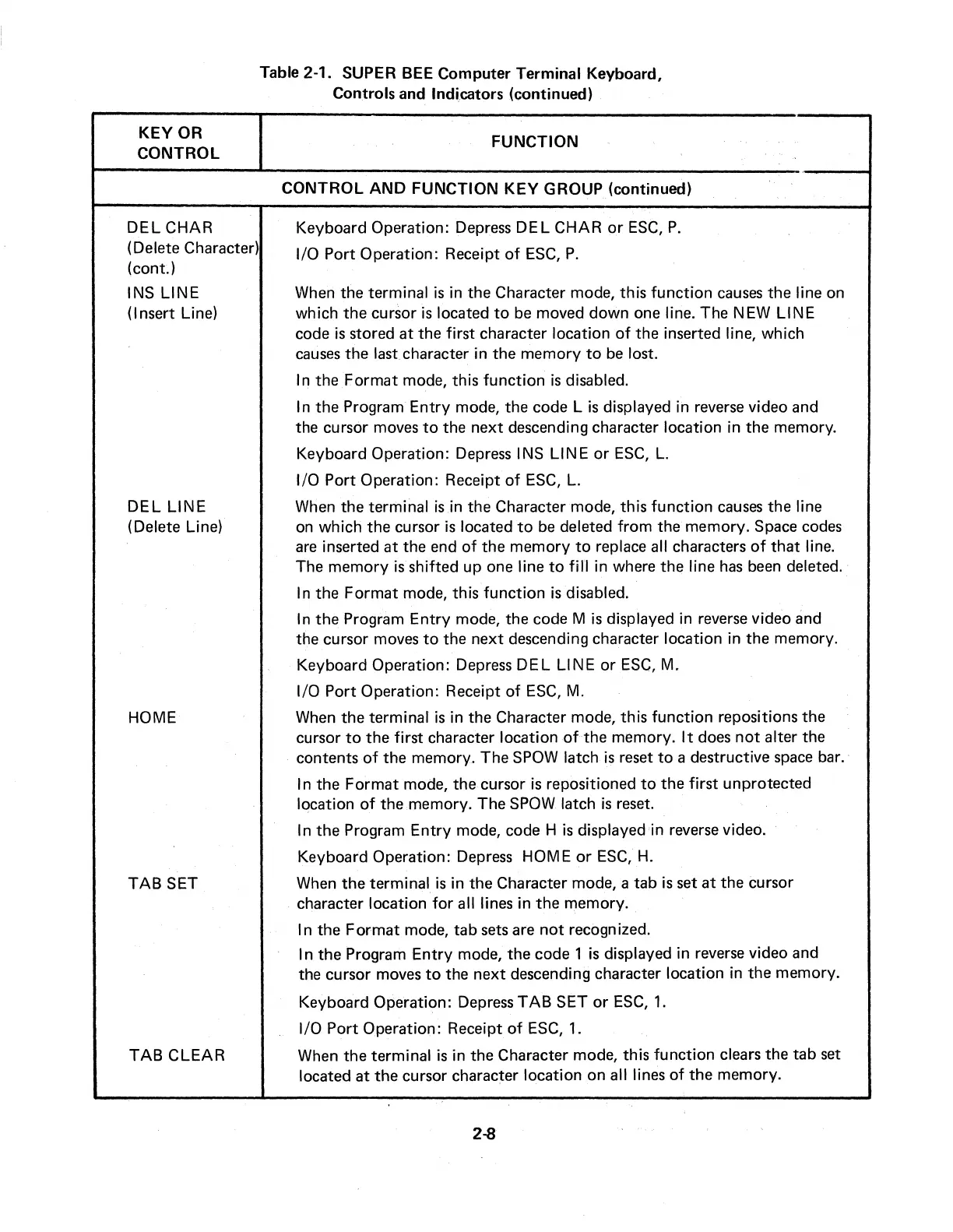
Table 2-1.
SUPER
BEE
Computer
Terminal
Keyboard,
Controls
and
Indicators
(continued)
FUNCTION
CONTROL
AND FUNCTION KEY
GROUP
(continued)
Keyboard
Operation:
Depress
DEL
CHAR
or
ESC,
P.
1/0
Port
Operation:
Receipt
of
ESC,
P.
When
the
terminal
is
in
the
Character
mode,
this
function
causes
the
line on
which
the
cursor
is
located
to
be
moved
down
one
line.
The
NEW LINE
code
is
stored
at
the
first
character
location
of
the
inserted line, which
causes
the
last
character
in
the
memory
to
be lost.
In
the
Format
mode,
this
function
is
disabled.
In
the
Program
Entry
mode,
the
code
Lis
displayed
in
reverse video
and
the
cursor
moves
to
the
next
descending
character
location
in
the
memory.
Keyboard
Operation:
Depress I
NS
LINE
or
ESC,
L.
1/0
Port
Operation:
Receipt
of
ESC,
L.
When
the
terminal
is
in
the
Character
mode,
this
function
causes
the
line
on which
the
cursor
is
located
to
be deleted from
the
memory.
Space
codes
are inserted
at
the
end
of
the
memory
to
replace all
characters
of
that
line.
The
memory
is
shifted
up
one
line
to
fill
in
where
the
line has been deleted.
In
the
Format
mode, this
function
is
disabled.
In
the
Program
Entry
mode,
the
code
Mis
displayed
in
reverse video
and
the
cursor
moves
to
the
next
descending
character
location
in
the
memory.
Keyboard
Operation:
Depress
DEL
LINE
or
ESC,
M.
1/0
Port
Operation:
Receipt
of
ESC,
M.
When
the
terminal
is
in
the
Character
mode,
this
function
repositions
the
cursor
to
the
first
character
location
ofthe
memory.
It
does
not
alter
the
contents
of
the
memory.
The
SPOW
latch
is
reset
to
a
destructive
space bar.
In
the
Format
mode,
the
cursor
is
repositioned
to
the
first
unprotected
location
of
the
memory.
The
SPOW latch
is
reset.
In
the
Program
Entry
mode,
code
H
is
displayed
in
reverse video.
Keyboard
Operation:
Depress HOME
or
ESC,
H.
When
the
terminal
is
in
the
Character
mode,
a
tab
is
set
at
the
cursor
character
location for all lines
in
the
memory.
In
the
Format
mode,
tab
sets
are
not
recognized.
In
the
Program
Entry
mode,
the
code
1
is
displayed
in
reverse video
and
the
cursor
moves
to
the
next
descending
character
location
in
the
memory.
Keyboard
Operation:
Depress TAB
SET
or
ESC, 1.
1/0
Port
Operation:
Receipt
of
ESC, 1.
When
the
terminal
is
in
the
Character
mode,
this
function
clears
the
tab
set
located
at
the
cursor
character
location
on
all lines
of
the
memory.
2-8