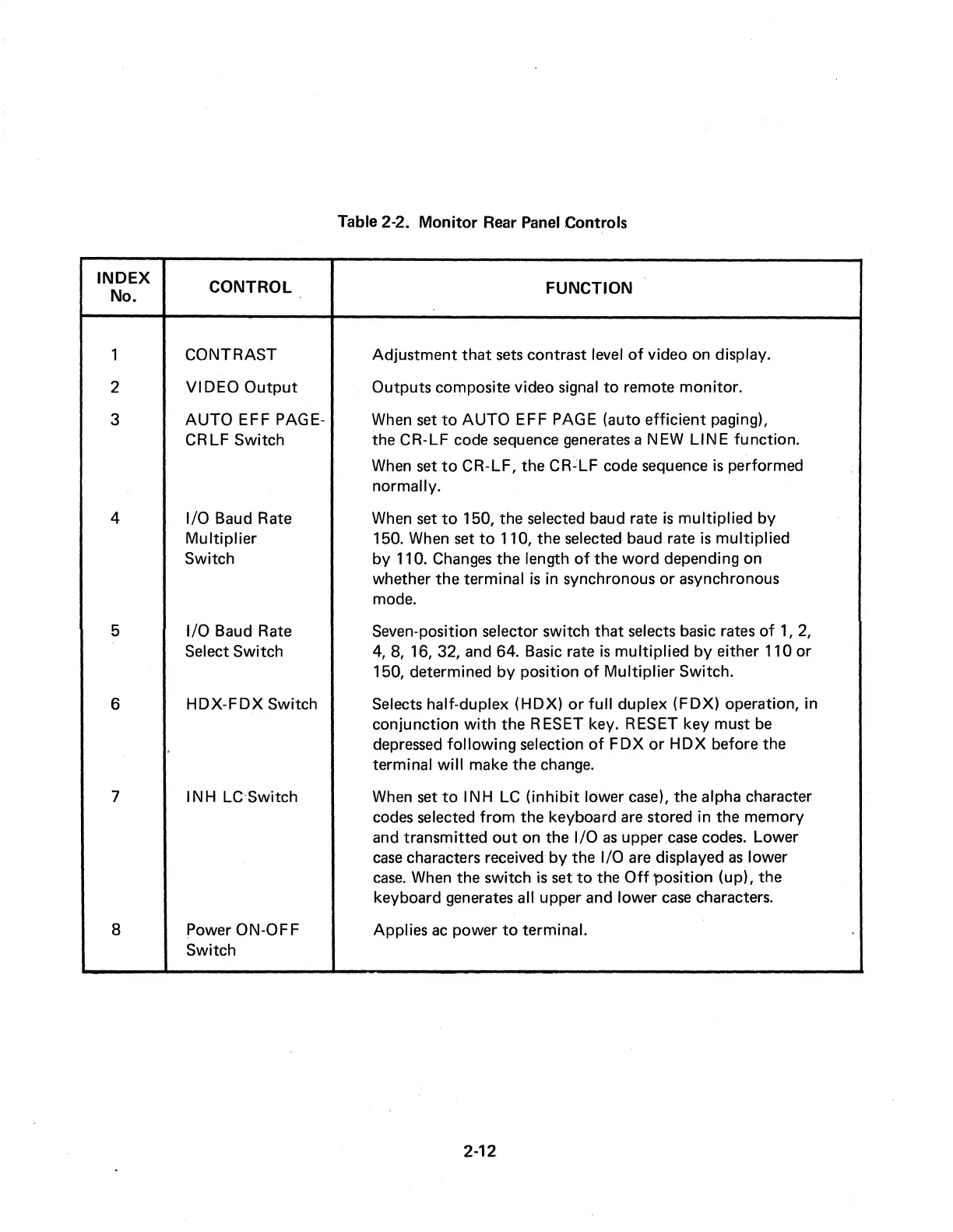
Table 2-2.
Monitor
Rear Panel Controls
INDEX
CONTROL
FUNCTION
No.
1
CONTRAST
Adjustment
that
sets
contrast level
of
video on display.
2
VIDEO
Output
Outputs composite video signal
to
remote
monitor.
3
AUTO
EFF PAGE-
When
set
to
AUTO
EFF PAGE (auto
efficient
paging),
CRLF
Switch
the CR-LF code sequence generates a NEW
LINE
function.
When
set
to
CR-LF, the
CR~LF
code sequence
is
performed
normally.
4 1/0 Baud Rate
When set
to
150, the selected baud rate
is
multiplied
by
Multiplier
150. When
set
to
110, the selected baud rate
is
multiplied
Switch
by
110.
Changes
the length
of
the
word
depending on
whether
the
terminal
is
in synchronous
or
asynchronous
mode.
5 1/0 Baud Rate Seven-position selector switch
that
selects basic rates
of
1,
2,
Select Switch
4,
8, 16, 32, and 64. Basic rate
is
multiplied
by
either 110
or
150, determined
by
position
of
Multiplier
Switch.
6
HDX-FDX
Switch
Selects half-duplex
(HDX)
or
full
duplex
(FDX)
operation, in
conjunction
with
the RESET key. RESET key must
be
depressed
following
selection
of
FDX
or
HDX
before the
terminal
will
make the change.
7 IN H LC Switch When
set
to
I NH LC
(inhibit
lower
case),
the alpha character
codes selected
from
the keyboard are stored in the memory
and transmitted
out
on the 1/0
as
upper
case
codes. Lower
case
characters received
by
the 1/0 are displayed
as
lower
case.
When the switch
is
set
to
the
Off
'position (up), the
keyboard generates all upper and lower
case
characters.
8 Power ON-OFF Applies
ac
power
to
terminal.
Switch
2-12



 To Next Page